


You’re from a beautiful city, and you dream of building and selling a fully automated walking tour?
This article is made for you. Let’s see in 5 steps how you can build a walking tour with Loquiz.
1. Choose a city to create a walking tour
Which city do you have some good knowledge about? It could be your native city or any city where you’ve spent time. If you have knowledge that others don’t have, if you feel positive emotions toward one particular city, then that should be the right choice.
Assess the demand.
Is your city considered touristy, like Paris? Do people visit to see a particular attraction, such as the wineries in Bordeaux? Or is there an upcoming event that is likely to attract many tourists, like the Monaco Grand Prix?
You should be able to answer “yes” to at least one of these questions. From there, you can build a game around the reason visitors are coming. If none of these apply, consider choosing a different city.
Define your target audience.
Once you know the demand you want to address, think about your players and target audience. Are they families, Formula 1 fans, or couples on their honeymoon?
Try to imagine your ideal player persona, as we do in marketing. This will help you create a game that appeals to the majority of people who play it.
Once you have chosen your location, identified your audience, and understood why they are visiting, you can start developing the tour.
2. Develop a tour
In this article, we will build the tour using Loquiz. This platform allows you to easily create your own city tour using GPS, quiz, and media features. Moreover, you can also ultimately define your rules.
For instance, would you like to offer several paths at once in one tour? It’s possible. What about creating an inventory where the player gathers items that will affect the city tour’s story? It’s also possible.
Let’s go step by step into creating our walking tour.
Determine the central theme to create a walking tour
To create a game, start by thinking about its central theme. You need a story that keeps visitors engaged throughout the walking tour.
Consider a historical fact about your city or a hidden gem that few people know about. You may be one of the only people aware of it, yet many visitors would be delighted to discover something new and unexpected.
Develop an itinerary for the tour
Once you have a central idea and a story for your walking tour, it is time to develop the itinerary.
To do this, you can use the Loquiz platform. If you don’t have an account, then you can create a free account here.
From the Loquiz account, create a game, add tasks, and set their location on the map.
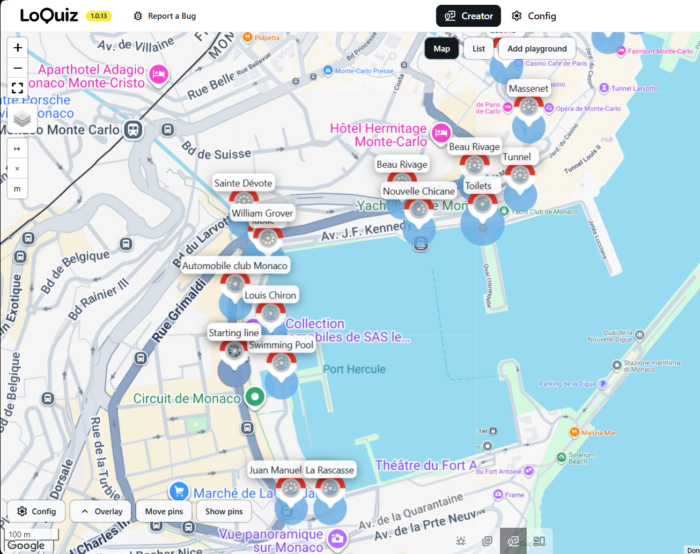
Pick attractions to add on the path
When creating your tasks, make sure that some of them lead participants to key points of interest and major attractions along the walking tour.
Set the duration and distance
How long can your group comfortably enjoy a walking tour? Based on my experience, I recommend the following durations:
- If the location has a harsh climate; for example, Seville’s high summer temperatures, I recommend limiting the tour to one hour.
- If the location has a mild climate that is suitable for longer walks, such as the California coast, the tour can last up to two hours.
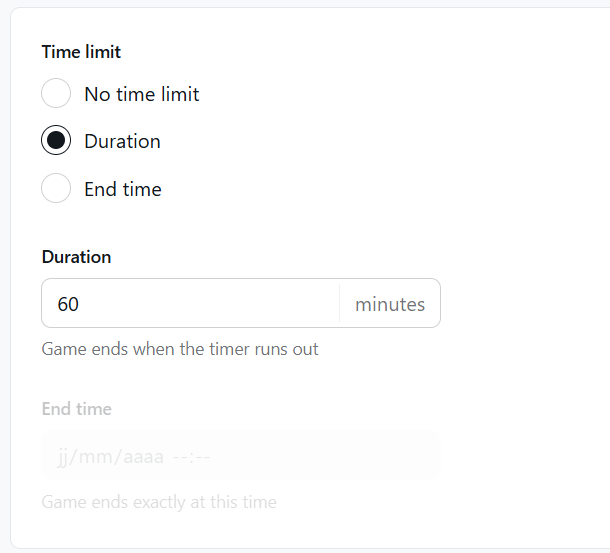
On Loquiz, you can change the game duration by going to the Config page, Game page, then scroll down until you find this:
For the distance, you will also need to plan carefully. If your target audience is families, I recommend keeping the route under 2 kilometers, as children cannot walk as far as adults.
However, if your target audience is comfortable walking longer distances, the route can be up to 5 kilometers.
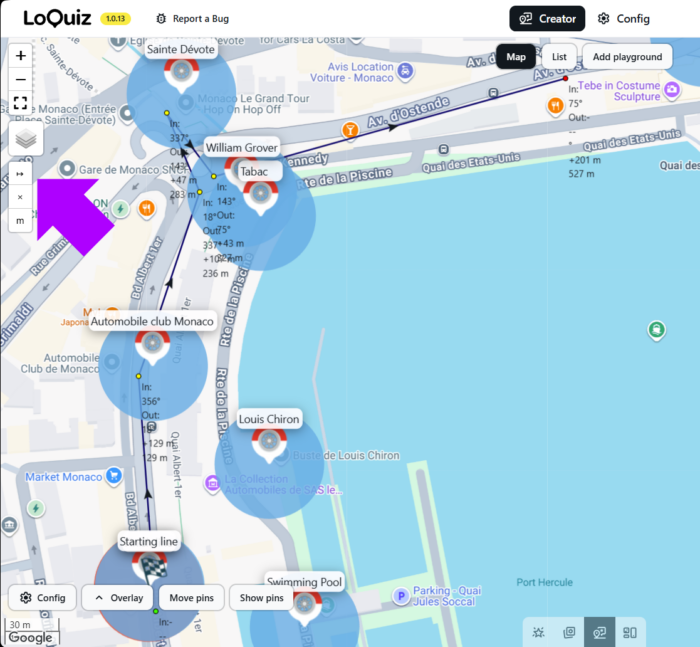
With Loquiz, you can easily measure distance by clicking on the ruler icon:
Create your logic to create a walking tour
With the Loquiz Creator, you can typically create any logic. Using the different logical blocks, you can build one or several paths according to your story and your needs.
For instance, a simple logic where tasks appear one after another will look like this:
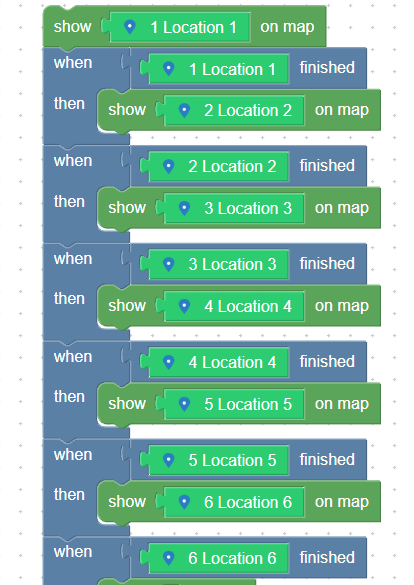
If the logic seems a bit complex to apprehend, you have 2 possibilities:
- Follow the Loquiz Academy course.
- Book a free 30-minute demo session with me.
Or both!
Test your walking tour
Once your game is ready, do not sell it immediately! Launching it without proper testing can lead to unexpected issues.
Instead, test it as many times as possible. With Loquiz, you can test your tour at no cost. The test mode also includes a fake GPS feature, which is useful when you cannot visit the walking tour locations every day.
Use the testing phase to adjust as many settings as necessary until the game is polished and ready to launch.
In my experience, I have spent twice as much time testing and refining a game as developing it. Good luck with this important step!
When you have a game that pleases your testers, it’s time to go to the next step!

3. Build a shop and sell on platforms
With your series of games ready, it is time to start earning from them. To do this, you can begin by building a website. We recommend avoiding sending Loquiz tickets one by one. Instead, create an automated system using the API.
If you are not familiar with building API integrations, consider using tools such as Google Sheets, Gmail, and automation platforms like Zapier or Make.com.
Besides, you can also sell the walking tour on platforms like Eventbrite or Viator. You can also connect them to your website (which I recommend Shopify).
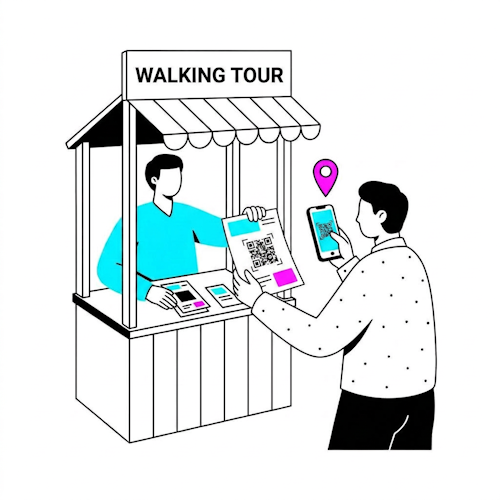
4. Market it, meet tourism stakeholders, create partnerships
Once your walking tours are available on your website and other platforms, that alone may not be enough to generate revenue. You also need to make them known to key stakeholders in the tourism industry.
Your walking tour is a unique opportunity for local tourism businesses to attract visitors to a range of points of interest conveniently and flexibly.
Contact local museums, restaurants, monuments, and other venues to propose partnerships. Here are some potential benefits for them:
- You can bring more visitors to their venue.
- Visitors can learn through your walking tour.
- They can add another product or service to their offering that may appeal to tourists.
- Some tourists prefer exploring independently, without a guide.
- Walking tours make it easier to manage a larger number of visitors.
Using these advantages, you can encourage these venues to sell your tours through flyers or on their websites.

5. Get feedback and update your game
Once you start selling your walking tour, you will never be able to please everyone; That is a difficult reality to accept. You will inevitably receive criticism about your game.
However, this is a natural part of developing a walking tour. Treat these comments as valuable feedback. As your games generate sales, you will need to keep updating and improving your content.
If you have ever tried a successful walking tour created by another company, I can assure you of this: They likely received a great deal of criticism before releasing the polished version you experienced. If you had played their first version, you would probably be surprised by how different it was.

Final advice: Apply a winning game in other cities to create a walking tour
I sincerely hope that your walking tour will be a success. With Loquiz, automation, the platform, and strong partnerships, you have the tools to make it happen.
After several months or years of sales and marketing, you may find that one tour becomes your main source of revenue, accounting for more than 50% of your sales.
If that happens, start thinking about how you can apply the same principles in another city, using a different story and local context. Using Loquiz, you can easily clone your game and move all the pins.
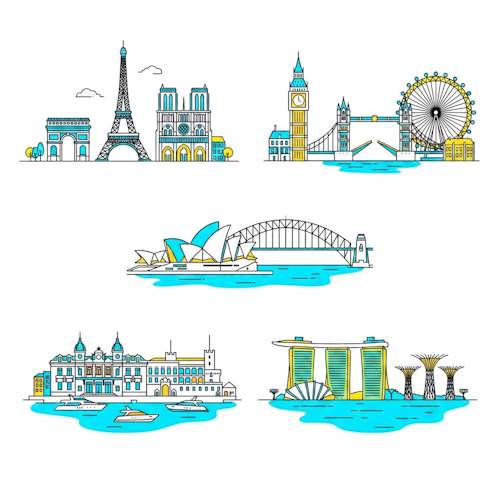
I wish you great luck in creating your own walking tour. If you need more insight on how to apply your ideas to Loquiz, feel free to send me a message!
Related stories
How to set up an Halloween game now Halloween is in a week! If you need a game that’s easy...
We can sell Loquiz City games through ticketing platforms. The flow is simple: players visit your website, purchase one or...
When we offer a city game, our players expect some interaction with their surroundings. Sometimes, this is essential because the...
Start free trial to bring your ideas to life
Sign up and create games, tours, team events and educational content that captures peoples' attention
Start from the scratch or use templates to kickstart!