

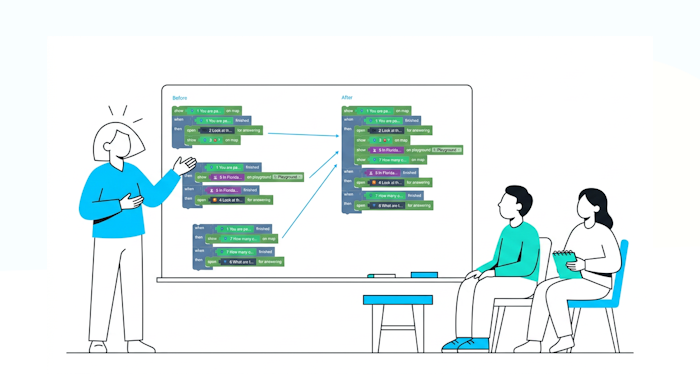
When we create a game and we’re confident with the Creator tool, we have a lot of game ideas. Some of them tend to be complicated, so it somehow needs a lot of rules. When you finish building your game, you might end up with rules that are difficult to navigate. Moreover, more complexity means more logical issues.
And yet, if your game is successful, you’ll need to edit it very often. Clarity and simplicity will help you considerably.
So that’s why I wrote five tips to simplify the logic in the Loquiz Creator:
1. Edit the color of the task blocks
To make it easier to navigate in the Creator, change the color of your tasks.
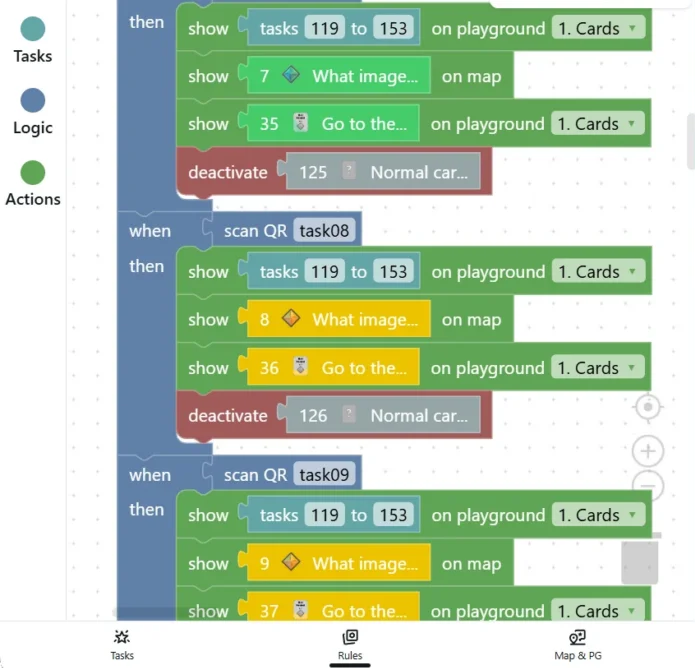
To do so, you’ll just need to edit the task color. Go to each task’s settings, then you can edit it here:
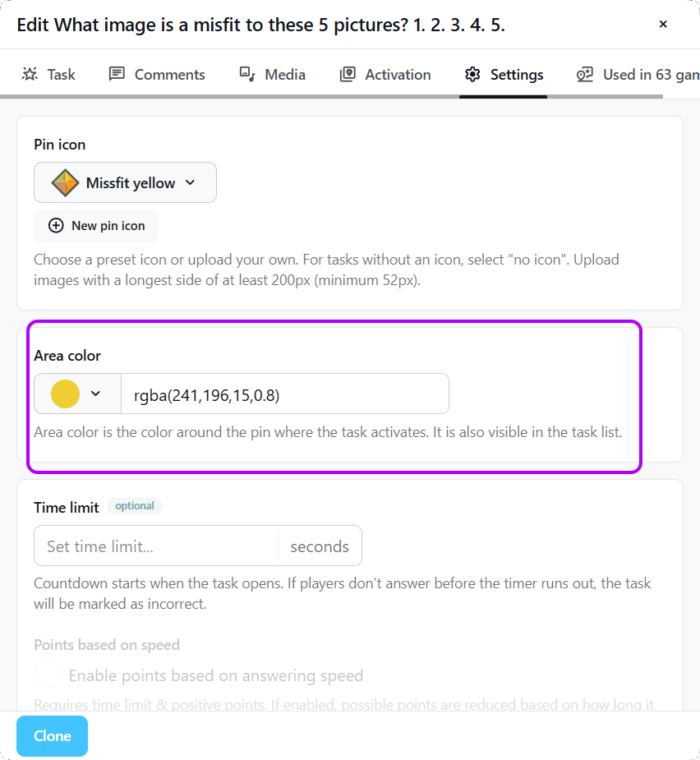
This example comes from the Misfit Hunt game. Each color represents a different level, or an element of the playground.
2. Group some blocks together
Sometimes, when we build a Loquiz game, different parts of the logic may express almost the same mechanism.
When this happens, try to find a way to reuse or consolidate the logic.
Here’s an example:
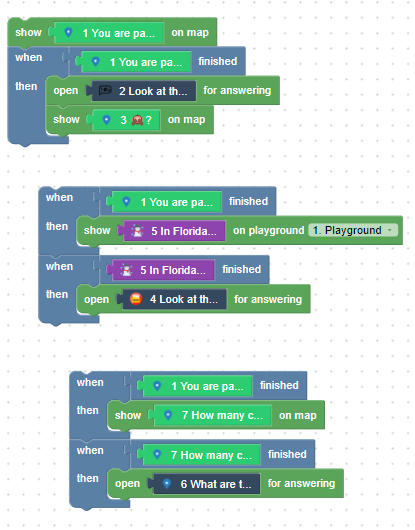
Now, try to examine this logic.
Then try to imagine what could be simplified!
…
Found it? Here’s the answer:
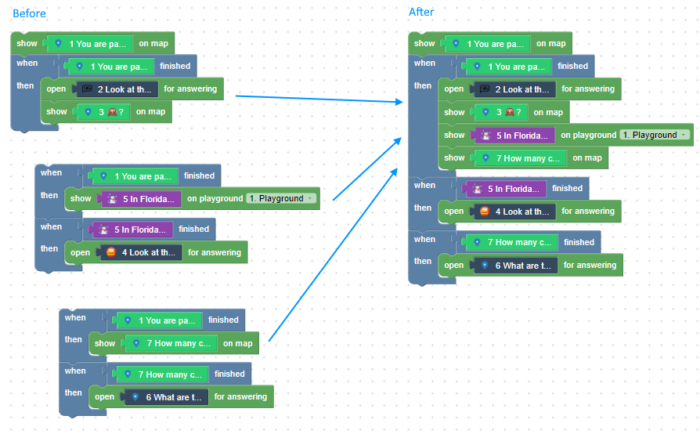
We have fewer blocks now. Some of the logic (When task 1 finished then…) was redundant. Removing redundancy makes the whole thing simpler and easier to read.
3. Use the task tags
Each tag serves a certain function. Some tasks serve the same function. And sometimes you need to batch edit all tasks with the same attribute. For example, let’s say you want to change the task area color for all tasks that are used for a game introduction.
Let’s take the demo adventure example, where some tasks are part of the introduction.
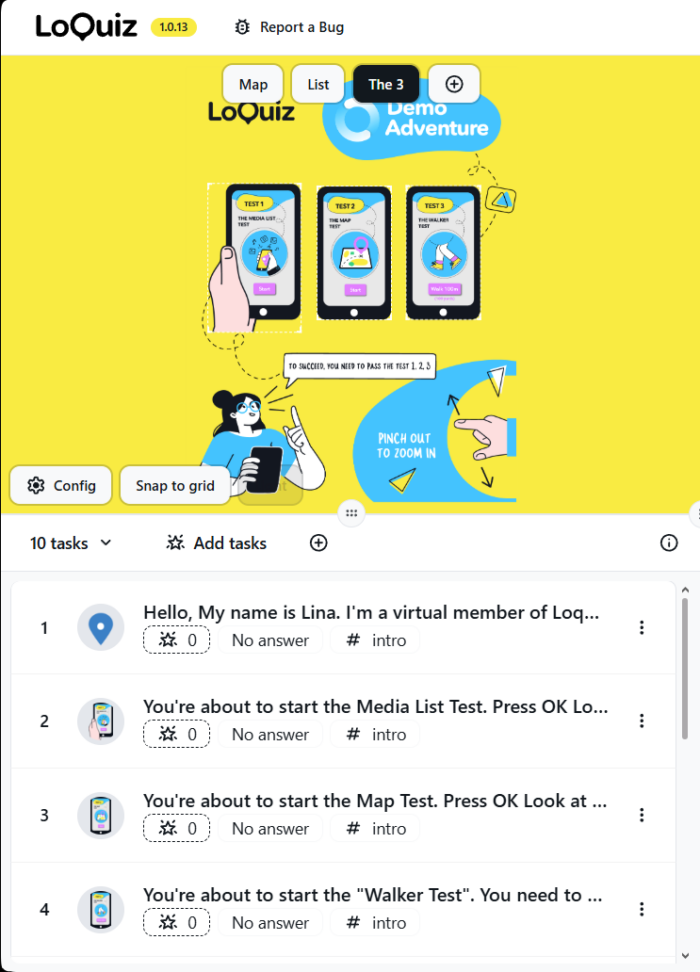
You can see the tags under the task preview. So let’s go to the “batch edit page” and click on “All” under the tag. Then type the tag “intro”:
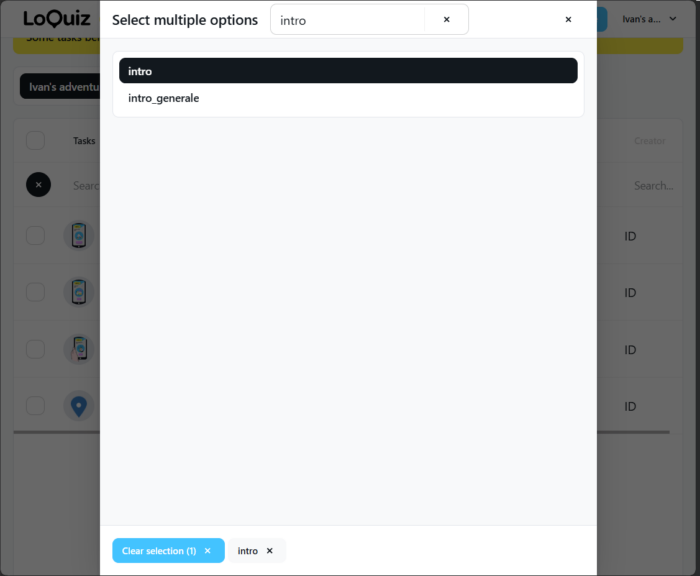
You’ve filtered the tasks so you just show those that include the tag “intro”. From there, click on Batch edit.
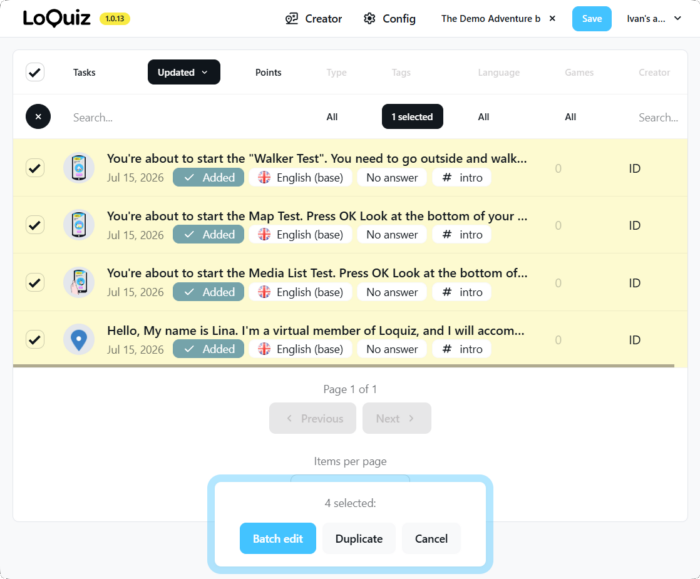
4. Use the task’s settings to decrease the number of tasks
When the player answers correctly, should we open a new task? Or when they answer incorrectly, should we warn them with another task?
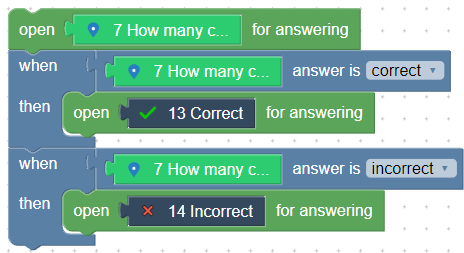
In fact, this is not necessary. And this adds clutter to your game. Imagine that your game has 40 quiz questions; this means an additional 80 tasks!
Fortunately, the task settings have 3 features that will prevent you from creating additional tasks per question:
After-answer comment
You can add custom messages whether a player answers a task correctly or incorrectly.
In the task settings, Comments, you’ll find the after-answer comments. They are different whether the player answers correctly or incorrectly.
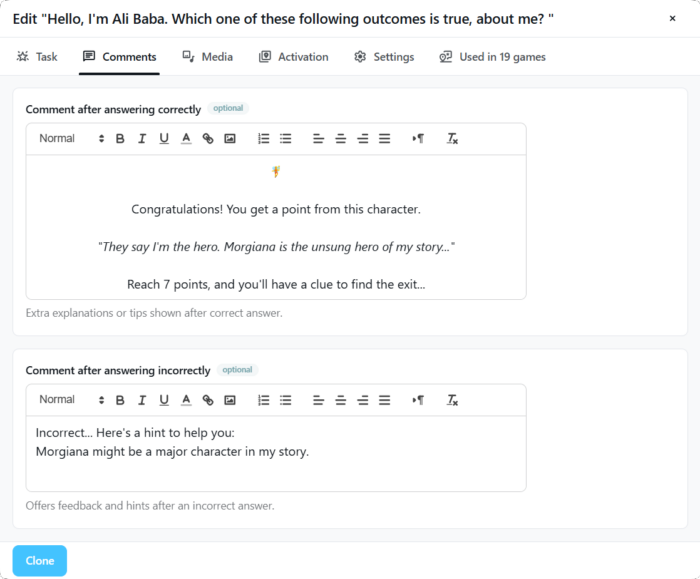
In this game, we will let the player know if they answered correctly or incorrectly. We even give them a hint in case they answer incorrectly.
Show if it’s correct or not
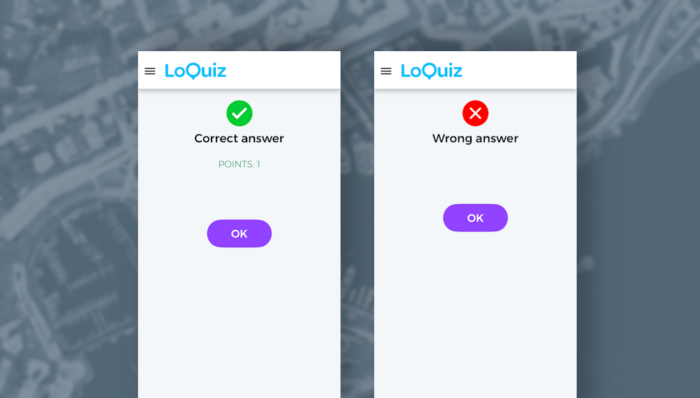
There’s also a feature that allows you to provide visual feedback on whether the answer is correct or not. Go to the task settings and enable this:
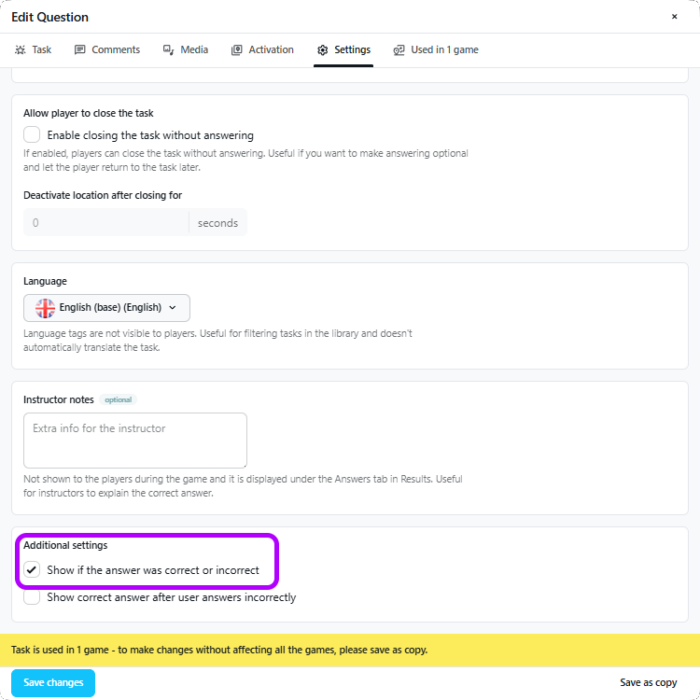
And that’s how it will appear on the player’s screen:
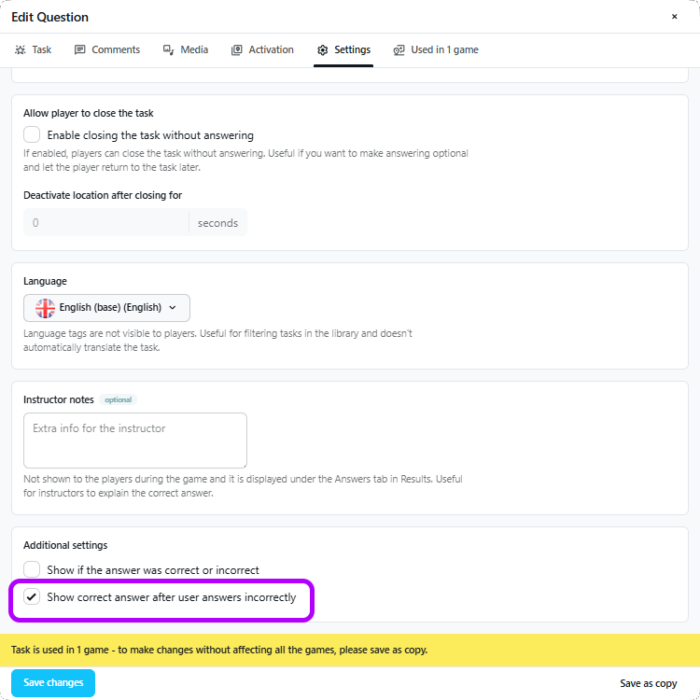
Show the correct answer
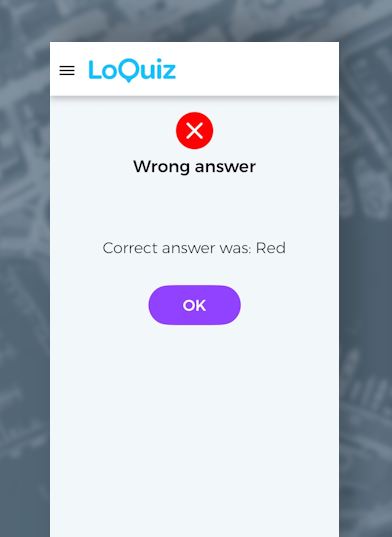
When the player answers wrong, you want to provide them with feedback: The right answer. It works well for an educational game. Instead of creating an additional task for each quiz, you can enable this in the task settings:
From the player perspective, this looks like this:
5. Open the tasks and “show on map/playground/list”
Here’s another simple way to reduce a few blocks:
If your game makes a task open, then a task appears on the map, you can already make the logic lighter:
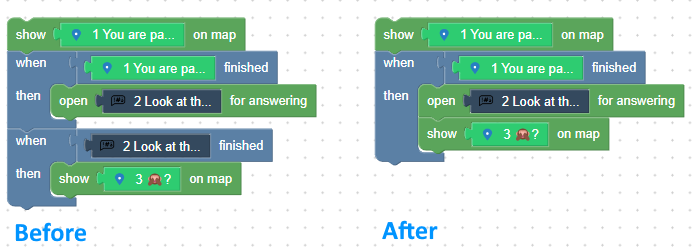
Instead of adding a second “When-then”, you can enable the “Open for answering” and the “Show on map” when the same condition is fulfilled: Task 1 finished. The logic remains the same.
That’s a small edit. But in games with a hundred tasks and hundreds of blocks, this makes the whole logic visually lighter.
To conclude
Your game doesn’t always need to be lighter. But it needs to be as clear as possible: Your future self will need some time to reread the whole game logic. And it will happen more than once if your game is successful: You always get feedback from the players, from the clients. A successful game needs constant improvement.

If you’re unsure about your game’s rules or if you want to make it clearer, feel free to contact me!
Related stories
In this video tutorial, I show you how to create an Outdoor Scavenger Hunt in your own location. It just...
Sometimes clients request games from us that are competitive. There needs to be a score, a ranking, and a clear...

When you create a Loquiz game, you can make it more visually appealing with custom pins. Add pins related to...
Start free trial to bring your ideas to life
Sign up and create games, tours, team events and educational content that captures peoples' attention
Start from the scratch or use templates to kickstart!