

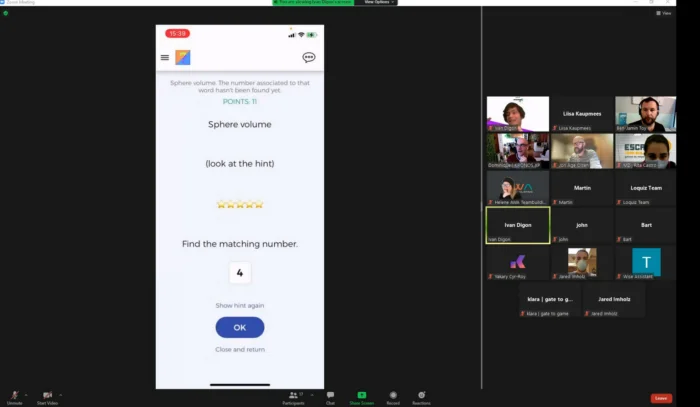
You’re hosting a webinar on Zoom or Meet. And immediately, one feeling sets up in the room:
Awkwardness.
How so? When it’s time, not everyone is there. You don’t have 100% of the attendee right at the beginning.
So, what do you do? Do you wait? Yes, you can. If so, you can try to engage the present people with a conversation. Though, aren’t they supposed to be muted, waiting for the start of the webinar? You can also wait until 90% of the attendees are there.
And when it happens, it often takes 5 to 10 minutes. For those who made the effort to be present, it’s annoying. They can only stare blankly at their screen. Or they can do another activity, waiting for you to start.
That’s it, this awkwardness makes you lose most of your attendees.

The gamification against your webinar’s awkwardness.
What if you just erase this awkwardness with a game? I can ensure you that it works. How?
Create a game that everyone can play at the beginning. You can start it 5 minutes before the due time. It gives an advantage to the early attendees.
Make it fun. Then you’ll have an engaged group of attendees. From there, you’d already earn precious attention for the remainder of the conference.
What does a game need? It needs interaction from anyone. But anyone should have the choice to participate in it or not. This freedom is crucial if you want to make sure that everyone has fun.
But there’s one question that arises from this…
What game do I choose for my webinar’s start?
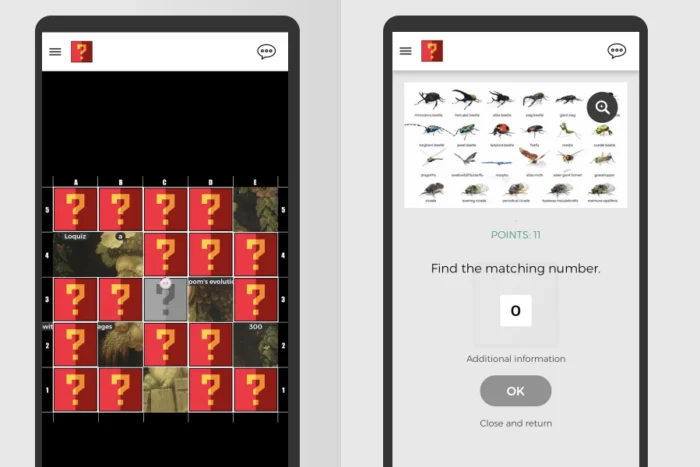
You can use our “Waiting Game”. We, Loquiz, conceived a game meant to solve this issue. Our tool is meant to provide any events with gamification.
Make an account, create a game from the account, then share the generated QR code with your attendees.
And once everyone is present for the webinar, you can start it!
Related stories

When we offer a city game, our players expect some interaction with their surroundings. Sometimes, this is essential because the...

When we build an outdoor Loquiz game, we often set a series of tasks on the map. Players activate the...

Since 2020, companies have increasingly requested remote events. However, we still want a bit of human presence. Perhaps we can’t...
Start free trial to bring your ideas to life
Sign up and create games, tours, team events and educational content that captures peoples' attention
Start from the scratch or use templates to kickstart!