

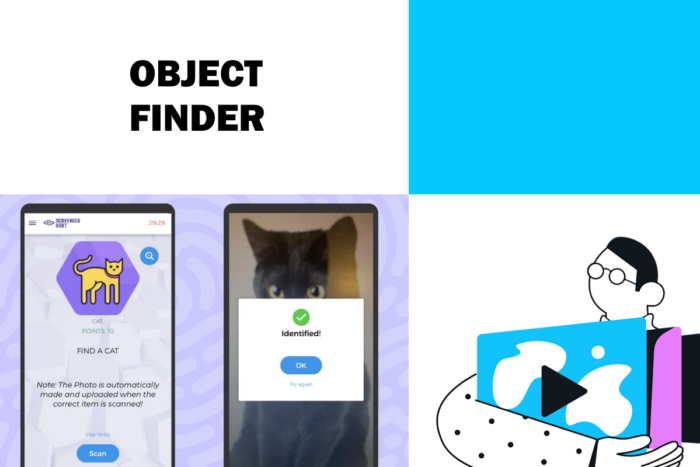
A few years ago, we’ve implemented the “Object Finder” task type. It consists in a camera that will use an artificial intelligence to guess what object is sees. It can be a very fun way to interact with different items during your game! In this article, I’ll explain how to use it for your game.
What is the Object finder?
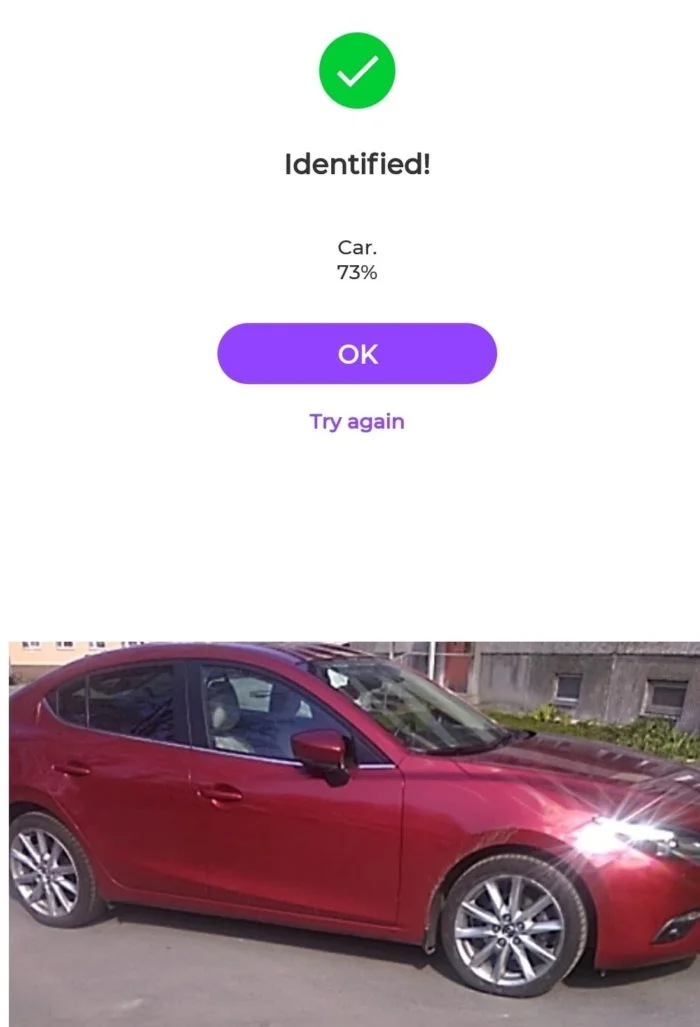
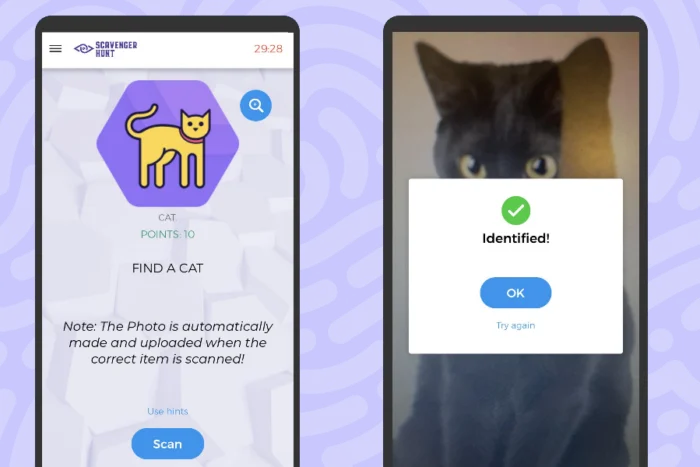
The object finder is a camera that will guess what are the items you show. For instance, you can set the Object Finder to “car”, and it will return you a correct answer once your camera detects a car:
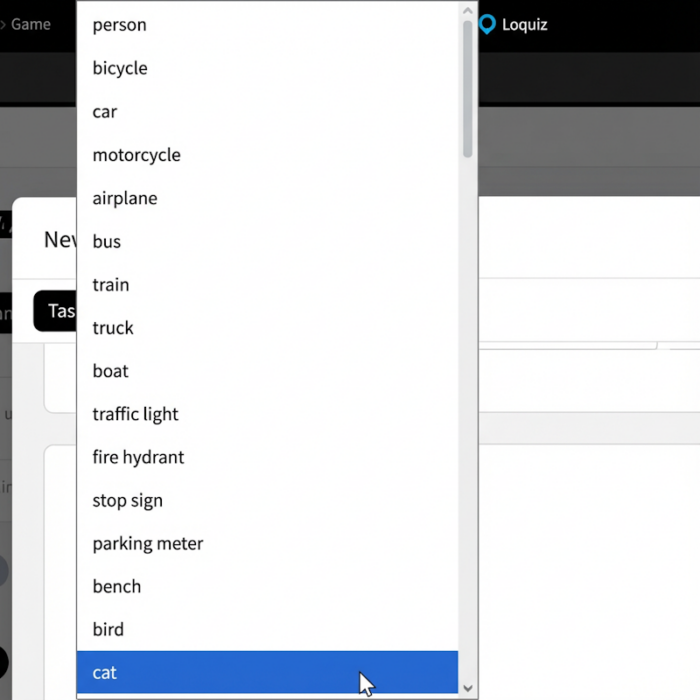
Please note that the items are predefined. The Loquiz Creator offers you a list of around 80 items. You’ll need to choose one. Currently, you can’t add any more items among these.
How to implement the object finder?
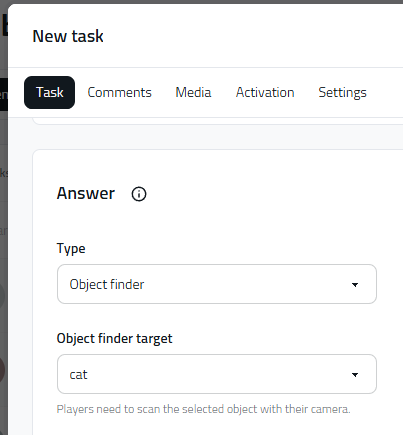
In your game, add a task. And in the task type, choose “object finder”. Once you’ve chosen it, select the target of your choice. Et voilà!
When the player succeeds in finding the given object (or pet!), the task answer is considered as “Correct”. If the player presses “skip” (just like on photo/video/augmented photo task types), the answer will be considered as “Incorrect”.
A game example to test the object finder
Here’s an example of a game that uses the object finder: The virtual scavenger hunt. To try it out, download Loquiz from Google Play or Appstore and type the following:
Username: findacat
Password: scavenger
A few tips about the object finder
- We do not guarantee that the Loquiz object finder detects correctly the items in 100% of the case. In your game rules, make sure that the object finder isn’t a mandatory step to move forward.
- Some items can be difficult to detect unless it has a specific trait… For instance, the knife needs to have teeth, like this one for example.
- When a player scans an object, the Loaquiz app sends the photo to the game results. Make sure you’ve ensured the game’s data safey. Here are data safety tips that I invite you to apply.
- Children appreciate the object finder quizzes. It’s an ideal game for families.

If you have any questions or if you need more tips, feel free to send me an email! I’ll be happy to help you set up a Loquiz game with the object finder.
Related stories

A good outdoor game (such as a scavenger hunt) takes place in a nice location. And sometimes, some areas don’t...

You’re playing a photo game (like the Photo Hunt); players take a lot of fun photos. But you’d like players...

You’re about to start an outdoor Loquiz game, and there will be a lot of players. How to avoid them...
Start free trial to bring your ideas to life
Sign up and create games, tours, team events and educational content that captures peoples' attention
Start from the scratch or use templates to kickstart!
