


We have gradually developed Loquiz in the way to enable you to alternate the appearance of the app. This means that it is easy to personalize the looks of the game according to the style of your company. So far the customization has covered:
+Your own maps in games
+Different pin colors and your own icons
+Creating custom translation or special language for the app
+Adding a client`s logo for each event
Now you can also alternate the color scheme of the app by choosing two theme colors-a main color and a secondary color.
How to apply?
Log into Loquiz pro > at the dashboard upper right corner click the drop-down menu next to your name> account settings > App tab.
(Account settings are accessible by Admin and Owner user level)
Pick the 1st and 2nd color. Save.
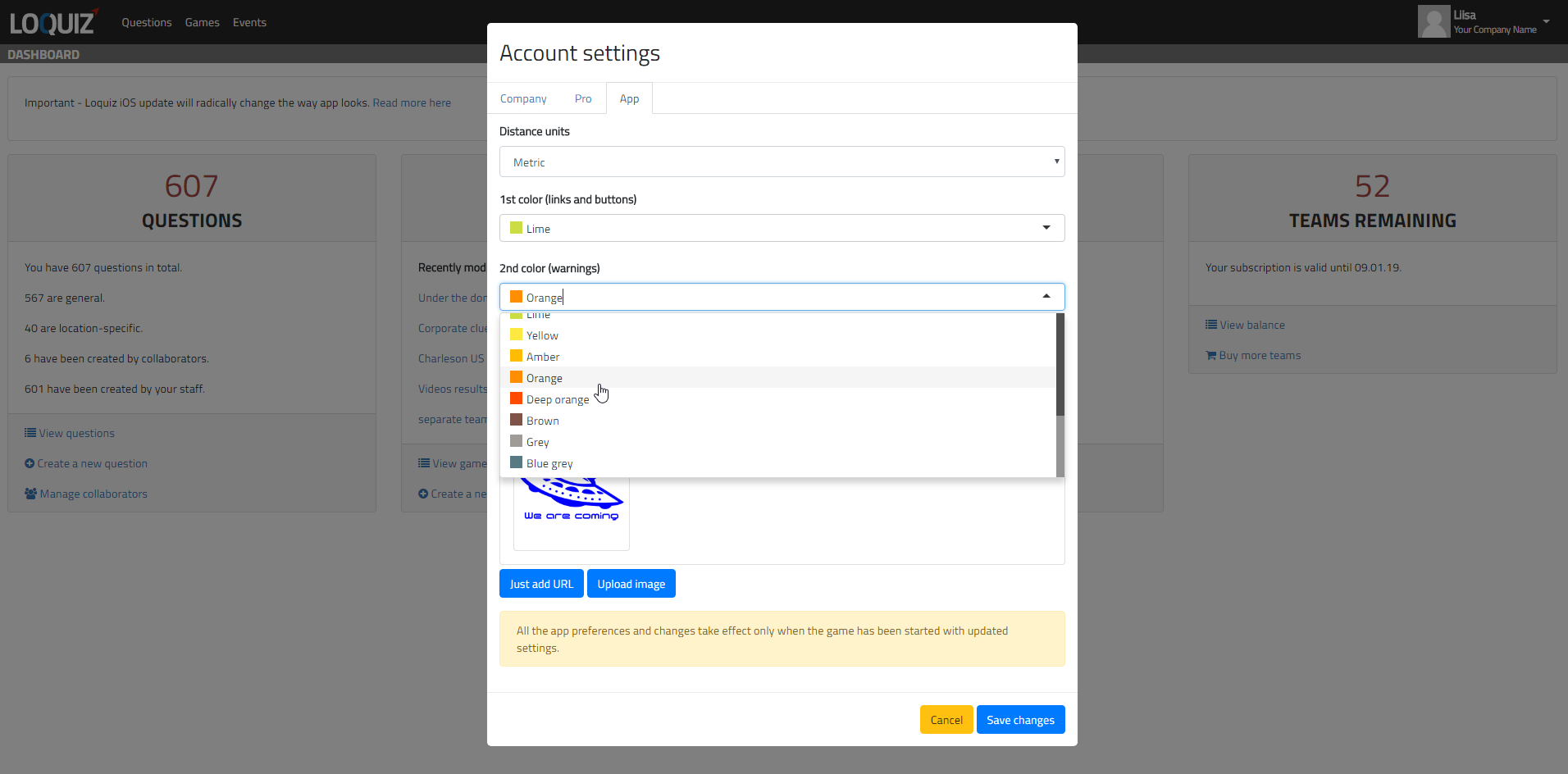
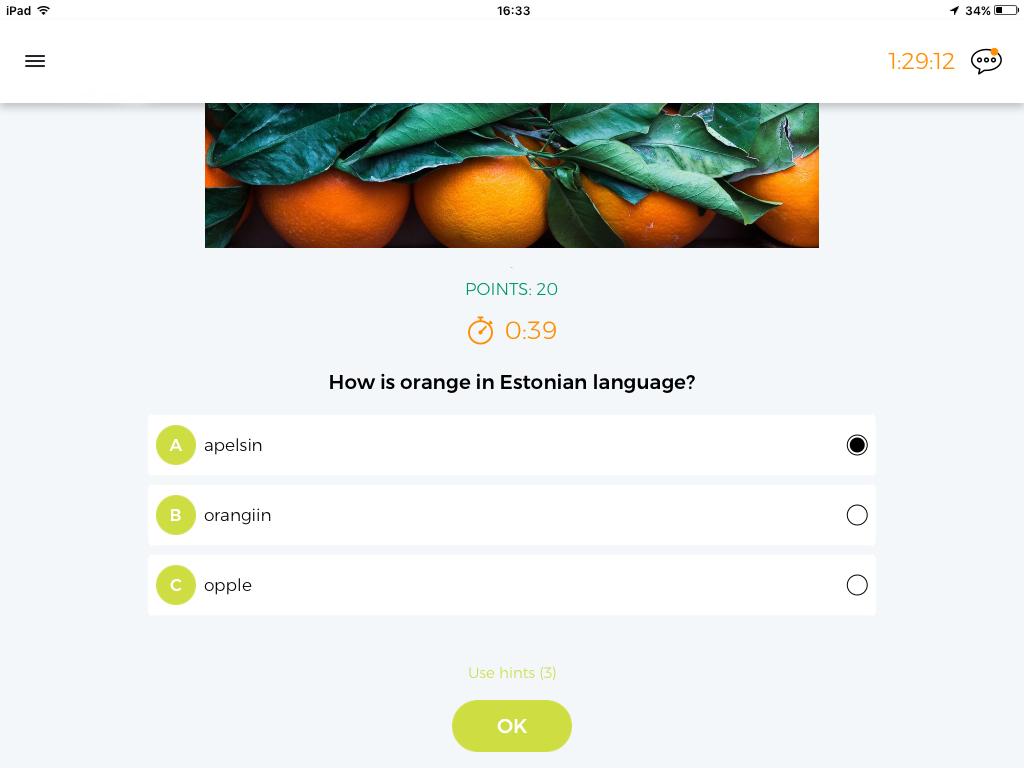
Some of the items the 1st main color applies to in the app are:
- All the important buttons like OK, cancel
- Links
- Answer option letter colors A, B, C, D…
- Side menu items
- team names in the chat
Some of the items the 2nd color applies to are:
- The timer of the question and the game
- Navigate to a direction arrow
- A chat bubble
- An Instructor`s messages
What to keep in mind?
+Some colors work together better than the others. Keep in mind the complementary colors palette to avoid “ugly” combinations
+Some colors, for example yellow, are less visible in direct sunlight on the screen. Make sure to test how your color pick looks and feels like in a real life situation.
+Players have an option to override your color choice from the side menu and switch to the high contrast mode when they need.
Related stories

How to set up an Halloween game now Halloween is in a week! If you need a game that’s easy...

We can sell Loquiz City games through ticketing platforms. The flow is simple: players visit your website, purchase one or...

When we offer a city game, our players expect some interaction with their surroundings. Sometimes, this is essential because the...
Start free trial to bring your ideas to life
Sign up and create games, tours, team events and educational content that captures peoples' attention
Start from the scratch or use templates to kickstart!
