


We are thrilled to introduce you our latest addition on the Loquiz platform – customizable colors for buttons, links and icons in the games.
Let’s take a closer look at this feature! There are two colors you can add to the games:
- The first color is the primary color used in the app. Most of the buttons and links will be with this color.
- The second one is the additional color that applies to error messages, game timer, navigation arrow and some texts.
The colors that are assigned to your account will be the “by default” colors and will apply to the games in these cases if you are not selecting theme colors for the game.
With that minor improvement in Loquiz PRO, company or occasion-based themes will get the complete finalization design-wise.
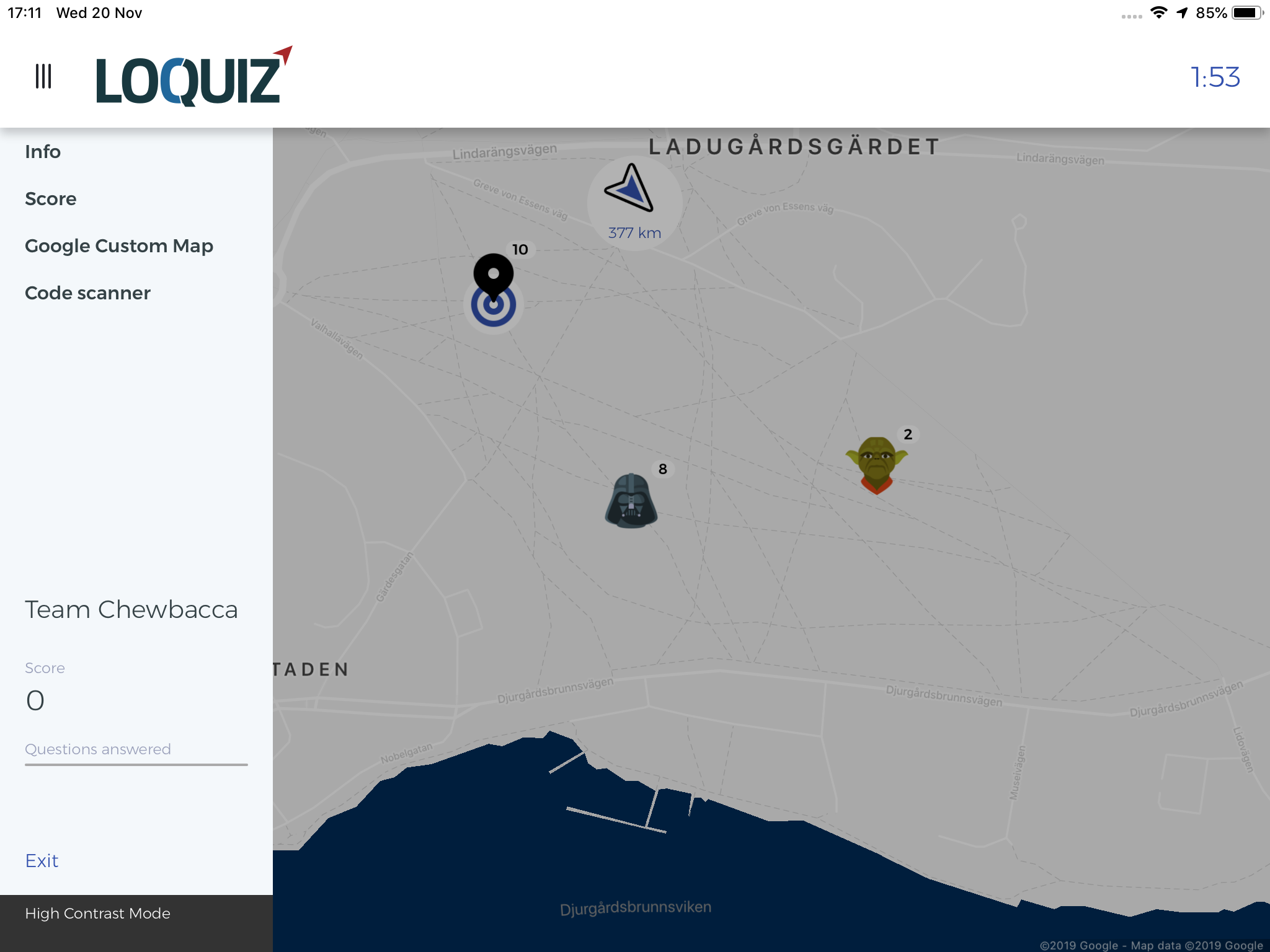
Through the combination of dark grey-blue combination, this Star Wars-themed game got that little extra character to the game appearance:
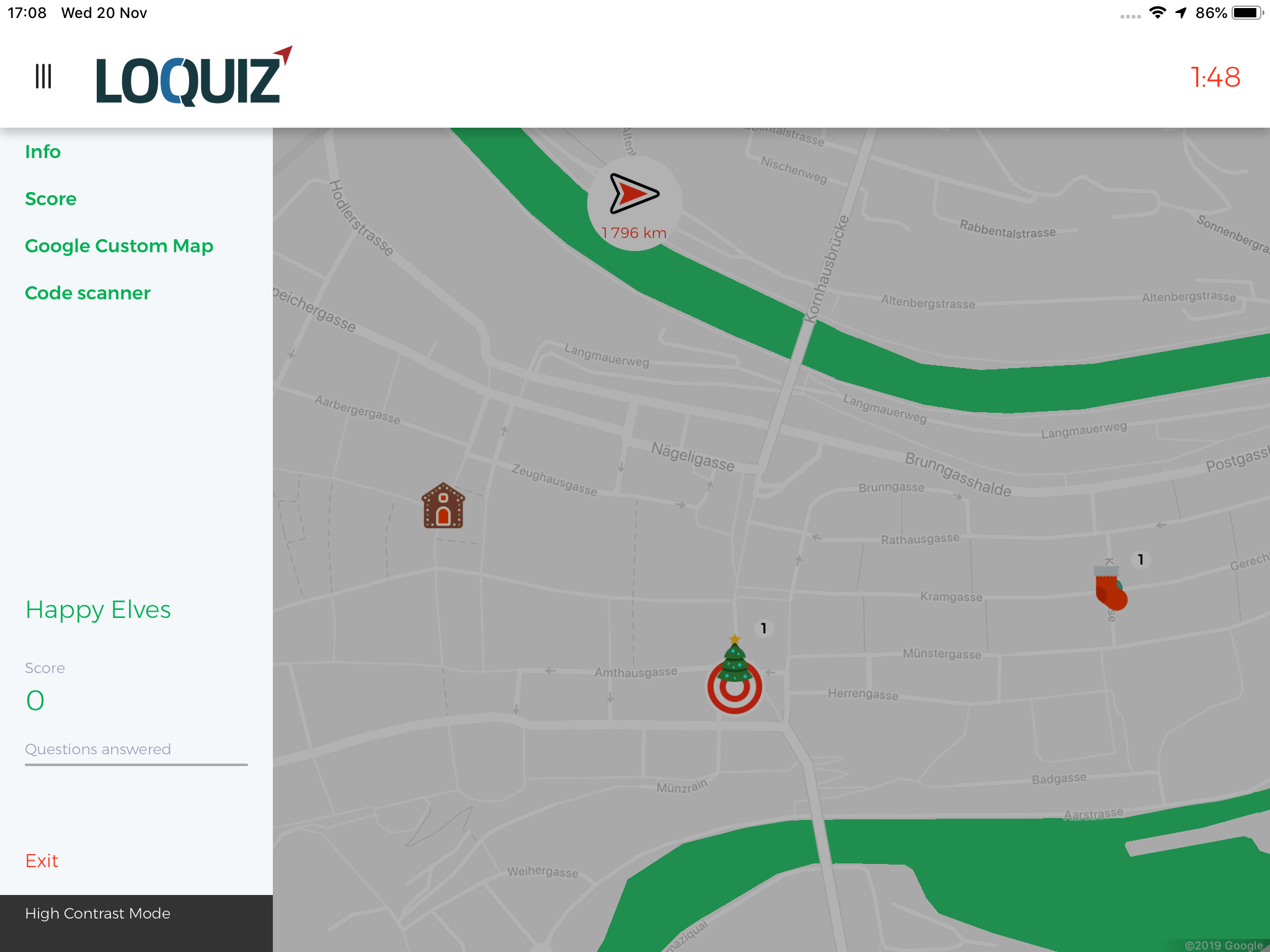
Here is another example of a Christmas-themed game with the red-green combo:
Before you can test this new feature out, let’s explore where in PRO this feature is located. We generated a new field for that called “Custom design”. You can also add custom colors by using the HTML color codes.

We hope this feature helps to unleash your inner design creativity.
Related stories
Using the Creator, we can build outdoor scavenger hunt games or tours. In these cases, we usually add a map...

How to sell Loquiz tickets to one group, instead of one person? Use the ticketing scope. It will let you...
Warmer seasons are coming, and there will be more and more outdoor events: More team building or family games. What...
Start free trial to bring your ideas to life
Sign up and create games, tours, team events and educational content that captures peoples' attention
Start from the scratch or use templates to kickstart!
