

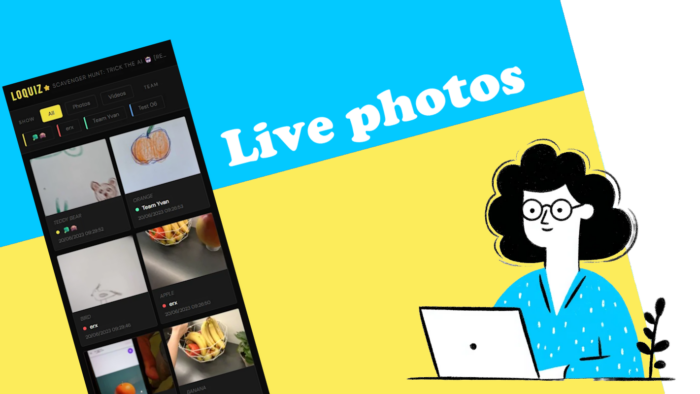
You’re playing a photo game (like the Photo Hunt); players take a lot of fun photos. But you’d like players to see others’ pictures anytime. Not just during the final stage of the game. With a custom results page, we got you covered!
You can try it out now, and you can build the same page yourself.
Live photo page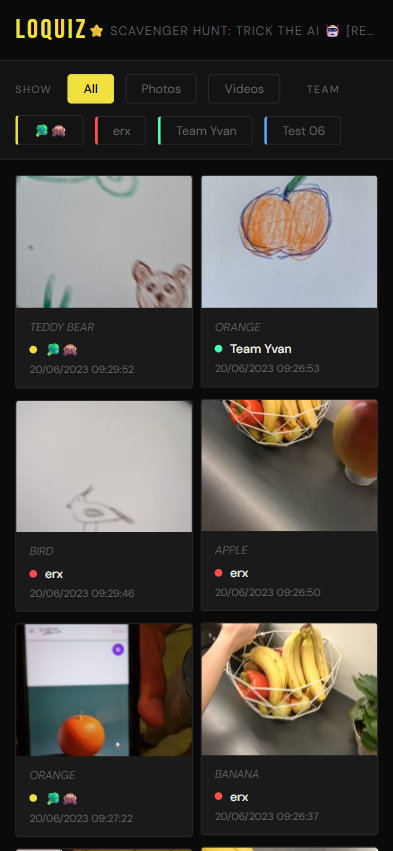
How to make it yourself?
In fact, you can recreate such a result page using Vibe-Coding. Just go to your favorite LLM (e.g. ChatGPT, Claude, or Gemini), then copy and paste the following prompt and attach this .txt file. Once you have the page, feel free to ask the AI to modify a few small details.
Build me a HTML result page that shows:
Every photo and video taken by teams during the game. Each photo shows the name of the team and short intro
Use the URL to get the game ID and scope (no need of a field on the page to add the Game ID) by adding ?gameId=YOUR_GAME_ID&scope=SCOPE to the URL

Use tailwind for a nice design, make sure that the page is print friendly
Use the attached api-for-llms.txt file to get instruction on how to fetch Loquiz results data
It does not need the API key as the game from game ID have public results
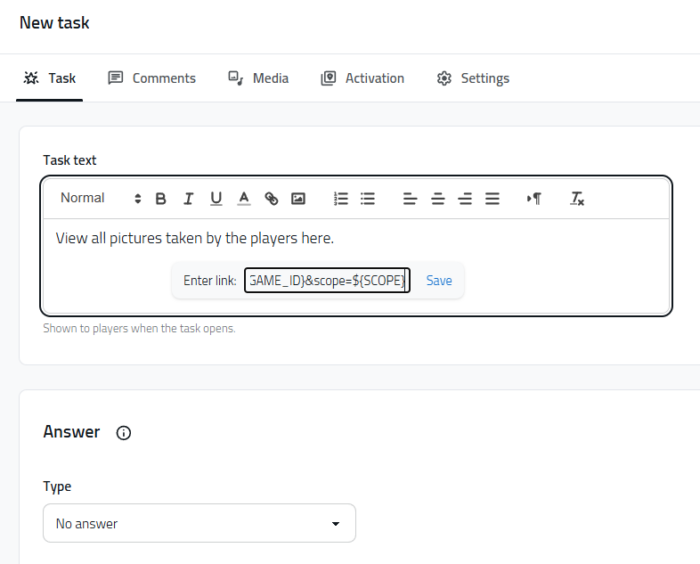
Once you have the page ready and hosted, you can insert the URL as a hyperlink on any of your Loquiz tasks, using the field variables:
yourdomain.com/yourfilename.html?gameId=${GAME_ID}&scope=${SCOPE}
As a quick test, you can also use our URL:
https://loquiz.com/results/mediaviewer.html?gameId=${GAME_ID}&scope=${SCOPE}
${GAME_ID} will automatically find the game ID of your game. ${SCOPE} will automatically find the scope, which is useful in case if you’re using tickets.
Let me know what you think of it! If you have any idea of a custom results page, feel free to send me an email.
Related stories
When we offer a city game, our players expect some interaction with their surroundings. Sometimes, this is essential because the...

When we build an outdoor Loquiz game, we often set a series of tasks on the map. Players activate the...
Since 2020, companies have increasingly requested remote events. However, we still want a bit of human presence. Perhaps we can’t...
Start free trial to bring your ideas to life
Sign up and create games, tours, team events and educational content that captures peoples' attention
Start from the scratch or use templates to kickstart!
