


A good outdoor game (such as a scavenger hunt) takes place in a nice location. And sometimes, some areas don’t have a great network. That’s the case for mountains or small islands.
We have good news for you: Loquiz supports offline games. So you can play it in one of these remote locations:
Create a game, start it where there’s WiFi or a network (e.g., the hotel hall), then you can go offline.
However, there are a few things to take into account when playing offline. Therefore, I’ve created a checklist for you. If your game checks everything, then it’s good to go offline!
1. No videos
To add a video, you need to use a YouTube or Vimeo link: Loquiz does not support video uploading. Players need to be online to watch videos. In that way, ensure that your game doesn’t include any video.
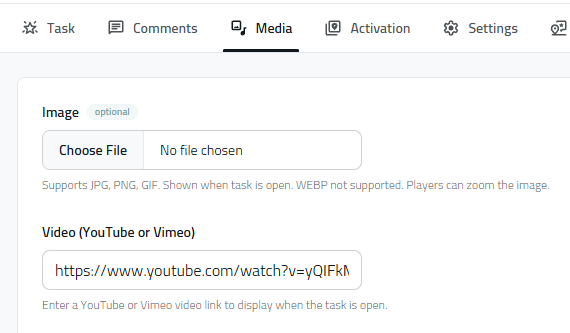
We have a reason for this: Videos are heavy. One file can easily reach 1GB. Since a lot of players download their Loquiz game on the network, we do not want them to spend that much data.
2. Upload all the pictures in the task text
When you edit a task, make sure you don’t copy paste the content. If it includes photos, the Loquiz system might display distant content; this needs an internet connection.
Instead, upload each picture to your task’s text.

3. No Bombs
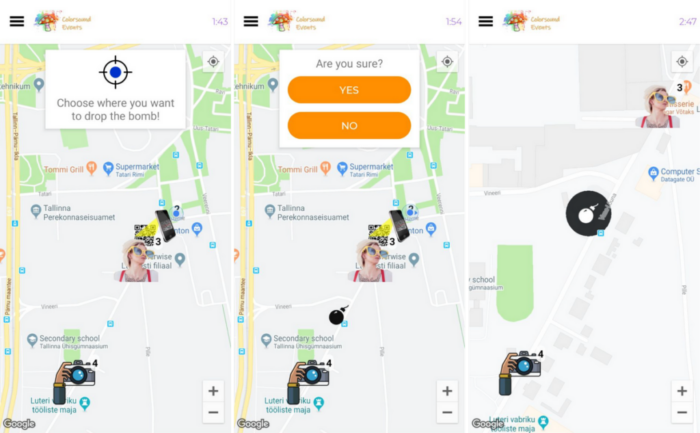
The bomb is a fun “superpower” task. When the players have access to it, they can plant bombs anywhere on the map. If a player (including the bomb owner) enters this area, their screen gets disabled for a few seconds.
As you can guess, it needs an internet connection. So if you plan on going offline with your Loquiz, remove the bomb tasks.
4. No “Answer is correct by any team” block
The Loquiz Creator offers a Logic block affecting every player depending on their answer. That’s great for an interactive game (and I wrote an article about it). However, it needs an internet connection. In this way, ensure that your game doesn’t have any of this block.

5. Check the Config
If you ticked all the previous conditions, then it’s time to go to the Config page.
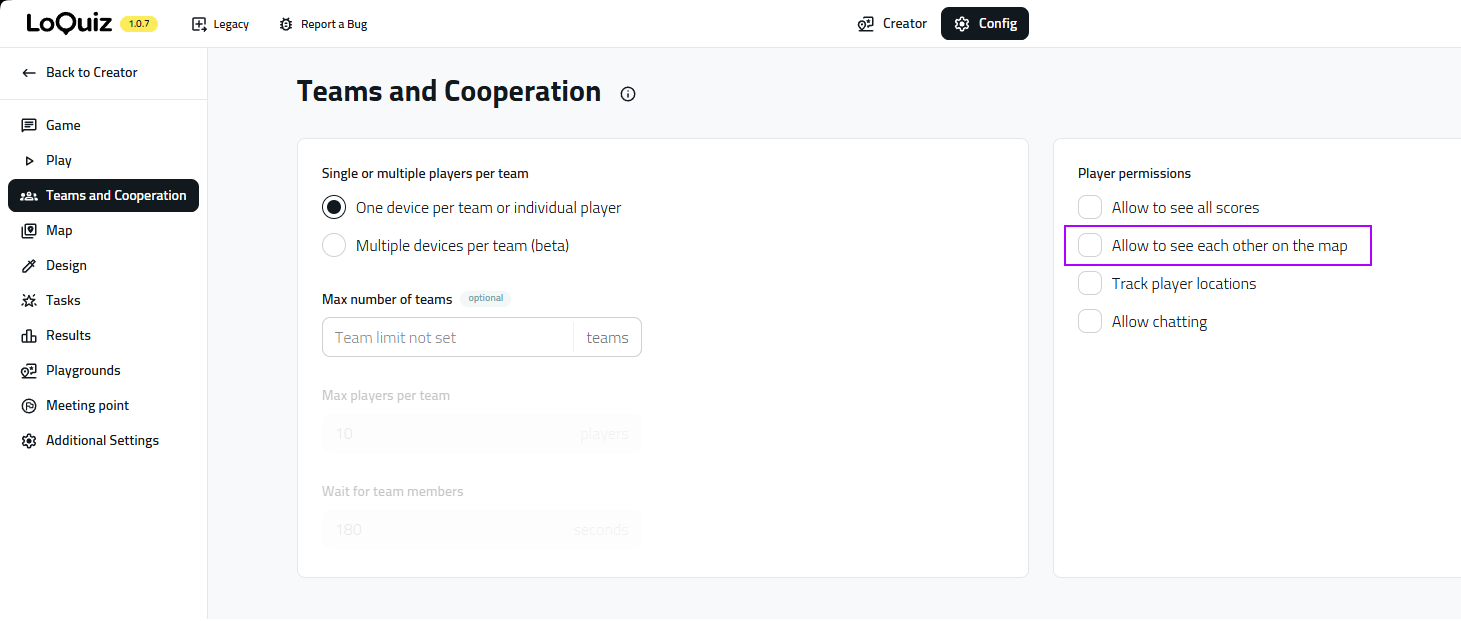
Players can’t see each other on the map
If players can see each other on a map, they’ll need to connect to the network. Consequently, untick that condition.
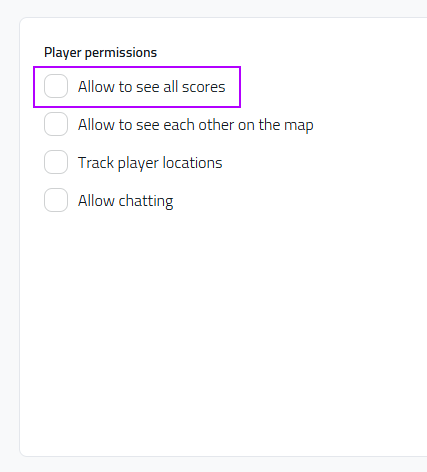
Players can’t see each other’s score
Same idea for the score.
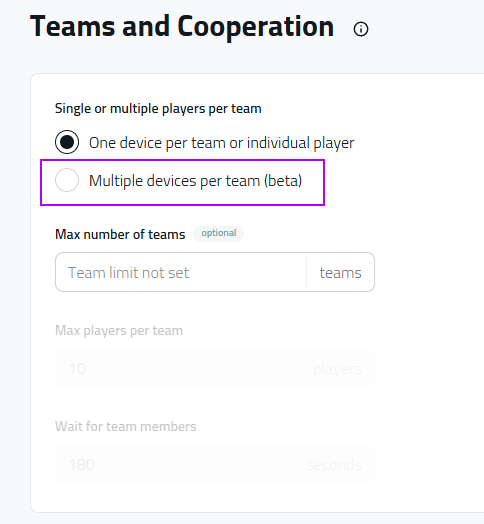
No multiple devices per team
The “multiple devices per team” mode will group devices into teams. Any device answer will update all other team members. As you can imagine, this won’t work in a place without a network connection. So make sure you untick this.
6. Game size (if players bring their own device)
And here’s a last condition to check: Make sure the game isn’t too heavy. Check this only if you ask your players to bring their own device. They will download the game all at the same time, and this tends to create chaos if they use the same WiFi network. Otherwise, if you bring your own tablets, then you can skip this condition.
So here are the two types of files you need to check:
Picture files
With the picture files, use JPG for task media and SVG for pin icons. If you use a high-quality PNG file with a few thousand pixels on each side, expect your game to be heavy.
Sound files
With sound files, do NOT use WAV files. Instead, make sure you compress them into MP3 files (you can find many free online converters on Google). You can potentially divide by 10 or 20 their size without losing perceived quality, as players use low-quality speakers from their phone devices.
Once you have all this ticked, then you’re good to go to play offline. As a side note, I’ll add that I also enjoy the offline feature of Loquiz in the center of town. For example, in Paris, this capital city is very dense. There are a lot of people, and the streets are narrow, so the network is often missing. The offline setup ensures that any game will go smoothly.
If you have any questions or concerns about using Loquiz in offline conditions, feel free to send me a message. I’ll be delighted to help!
Related stories

You’re playing a photo game (like the Photo Hunt); players take a lot of fun photos. But you’d like players...

You’re about to start an outdoor Loquiz game, and there will be a lot of players. How to avoid them...

You’re about to host an event, and you want to provide facilitators with a paper showing the list of tasks...
Start free trial to bring your ideas to life
Sign up and create games, tours, team events and educational content that captures peoples' attention
Start from the scratch or use templates to kickstart!
