

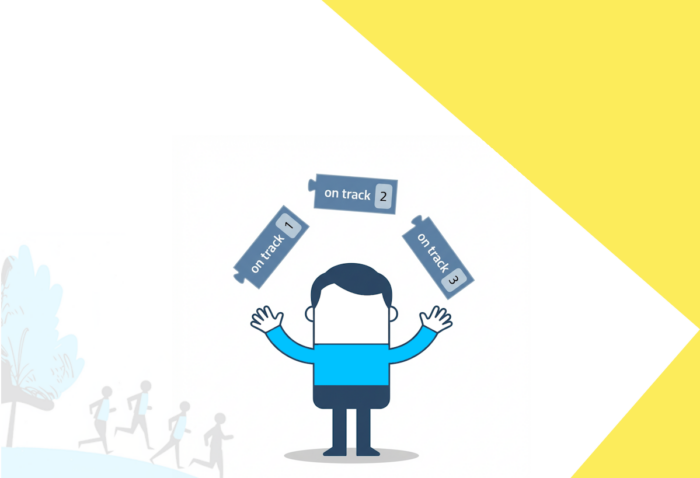
You’re about to start an outdoor Loquiz game, and there will be a lot of players. How to avoid them running to the same location? The answer is simple: On-track blocks.
On-track blocks
To divide teams at the beginning of a game, use these on-track blocks:
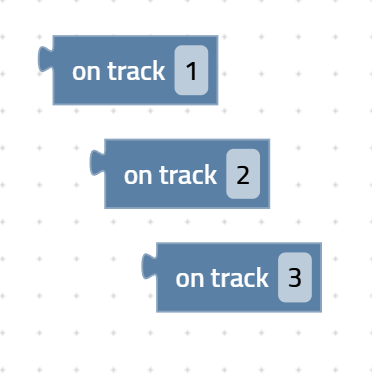
This block divides players “randomly” by assigning each player an “on-track” number based on two factors:
- when they connect to the Loquiz game
- the highest “on-track” number defined in the logic (e.g., 3 in our example).
If the highest “on-track” number is set to 3, the logic will work as follows:
The first player to connect is “on track 1”
The second player is “on track 2”
The third player is “on track 3”
The fourth player is “on track 1”
The fifth player is “on track 2”
…
The forty-second player is “on track 3”
So here’s how you can include this logic:
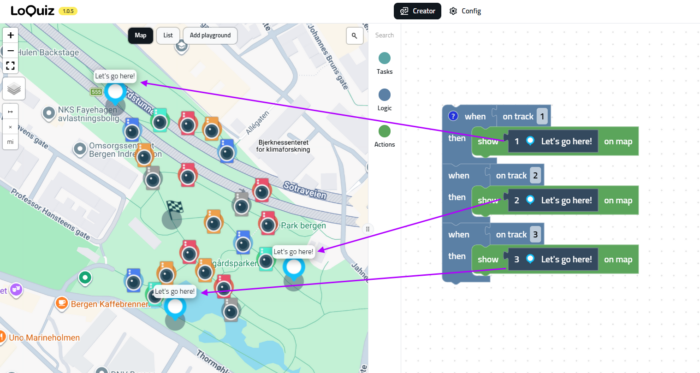
All the teams labeled as “on track 1” will see task #1. Same for 2 and 3. Then Team 4 will see task 1, Team 5 will see task 2, etc… In the end, all teams will be divided into 3 equal-sized groups. As you can notice, the blue pins are located on opposite sides of the fields, so we ensure that all the players are spread.
Including the on-track mechanism in your game logic
Something’s missing in our previous logic. What if a player finished their own on-track task? They’ll have nothing to do. Let’s just update the logic so that they can access all other tasks:
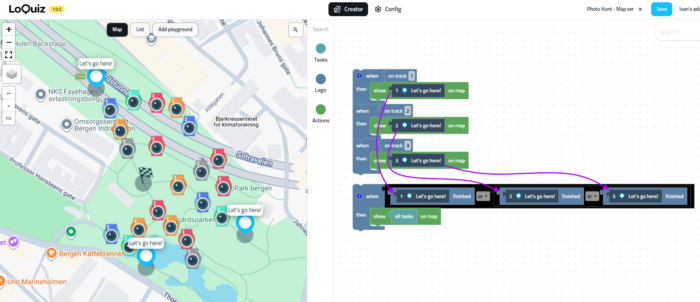
Once a team completes their assigned task (#1 #2 or #3), then they see all the remaining tasks.
You can actually add any logic after this. If you use any on-track, make sure that your logic covers all cases, all on-track numbers. We don’t want to see all teams from on-track 3 being stuck somewhere!
Try to set it up in your game!
I’ve used the example of the game “Photo Hunt” to show the on-track. You can build one for yourself and see how the on-track work, how it separates the team into 3 groups. Click here to create a “Photo Hunt” game if you have an account. If you don’t have an account, you can create one for free here.
Related stories
When you host a team-building event with a lot of players, it can be challenging. With the QR code, you...

If you have a game for an event tomorrow and haven’t tested it yet, then you might need to postpone...

In a typical Loquiz game, players solve a series of quizzes. In the normal settings, either they have one shot,...
Start free trial to bring your ideas to life
Sign up and create games, tours, team events and educational content that captures peoples' attention
Start from the scratch or use templates to kickstart!
