
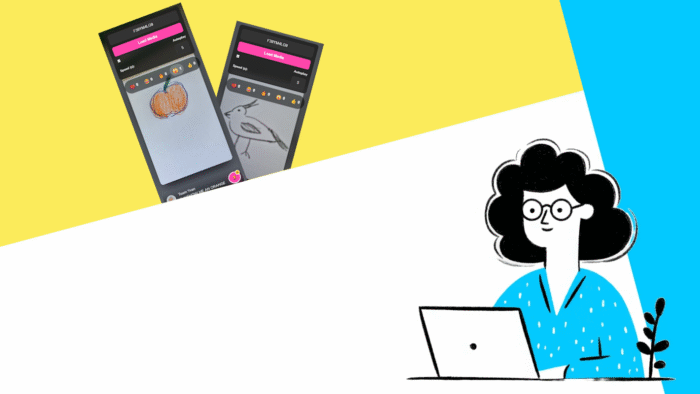
Imagine your Loquiz game has a lot of photo tasks, similar to a Virtual Scavenger Hunt or TRICK THE AI. What’s a fun way to distribute a link to all players that showcases all the photos in a scrolling interface? Since most of us spend time scrolling on TikTok, Instagram, or Facebook, players would find this type of results page familiar. And it’s something that you can make yourself using Vibe coding.
TikTok-like media page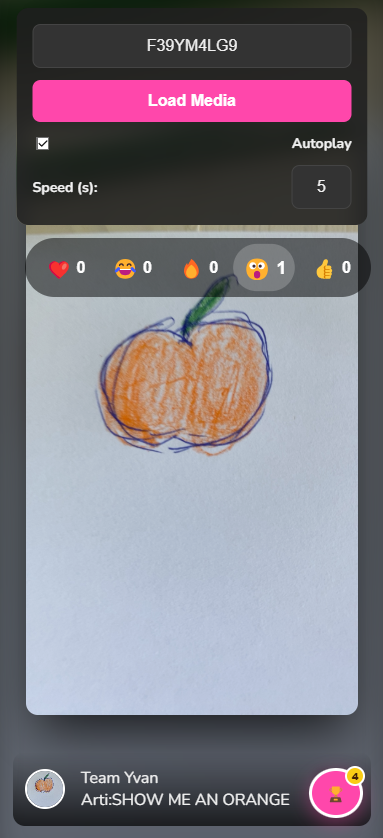
When you try the results page, feel free to try with the game ID F39YM4LG9. There are many funny pictures in this game played between Loquiz members.
How to make it yourself?
In fact, it’s easy to recreate such a result page using Vibe-Coding. Just go to your favorite LLM (e.g. ChatGPT, Copilot, or Gemini), then copy and paste the following prompt and attach this .txt file:
Use the attached api-for-llms.txt file to get instruction on how to fetch Loquiz results data and create a HTML Loquiz result page that:
One field field to put game ID and confirm.

Once confirmed, we see :
All picture/video media displayed in a tik tok way. We scroll from one to another
For each picture, we can add an emoji reaction: (heart) (surprised) (fire) (laugh) (thumbup)
No need of Loquiz API key to gather data.
If you want something a bit more specific, you can add instructions at the end of the prompt. For instance: “Include a dark/light mode” or “Include a page that’s the leaderboard of all teams”. Be as specific as possible. You can also ask to edit different elements after the AI has generated the code.
Let me know what you think of it! If you have any idea of a custom results page, feel free to send me an email.
Related stories
In this video tutorial, I show you how to create an Outdoor Scavenger Hunt in your own location. It just...
Sometimes clients request games from us that are competitive. There needs to be a score, a ranking, and a clear...
When you create a Loquiz game, you can make it more visually appealing with custom pins. Add pins related to...
Start free trial to bring your ideas to life
Sign up and create games, tours, team events and educational content that captures peoples' attention
Start from the scratch or use templates to kickstart!