


As the game master, there’s a trick to influence the game in real time. And it’s not the live update (it’s not meant for that).
Here’s what I call the “remote control logic”: Log in as a player, scan one QR code, and then you have a remote control panel. It’s a list of tasks; each of them will influence every player’s game. Do not share the QR code with any player; you’re the only game master.
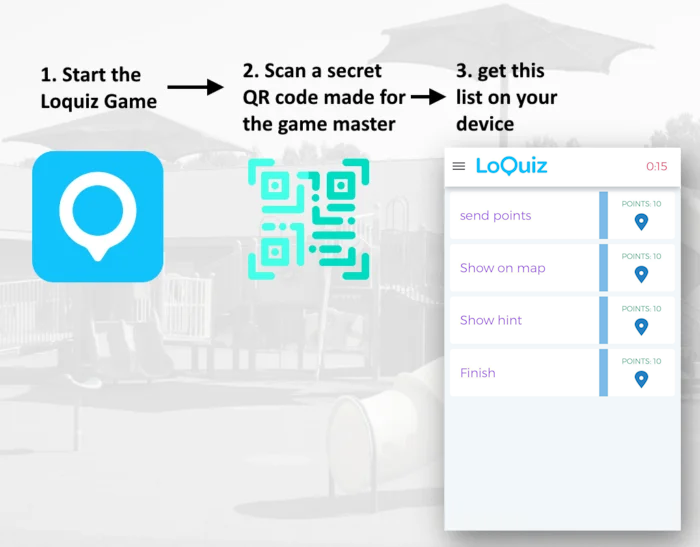
The remote control logic: How to implement it
With the remote control, you can distribute points to every player, notify players of something, make some task appear on the map, etc… The main question is: How do we even set it up? It needs a bit of Creator logic.
Step 1: Edit your game in the Creator
Just like you do usually.
Step 2: Enable the QR scanner in the configuration page
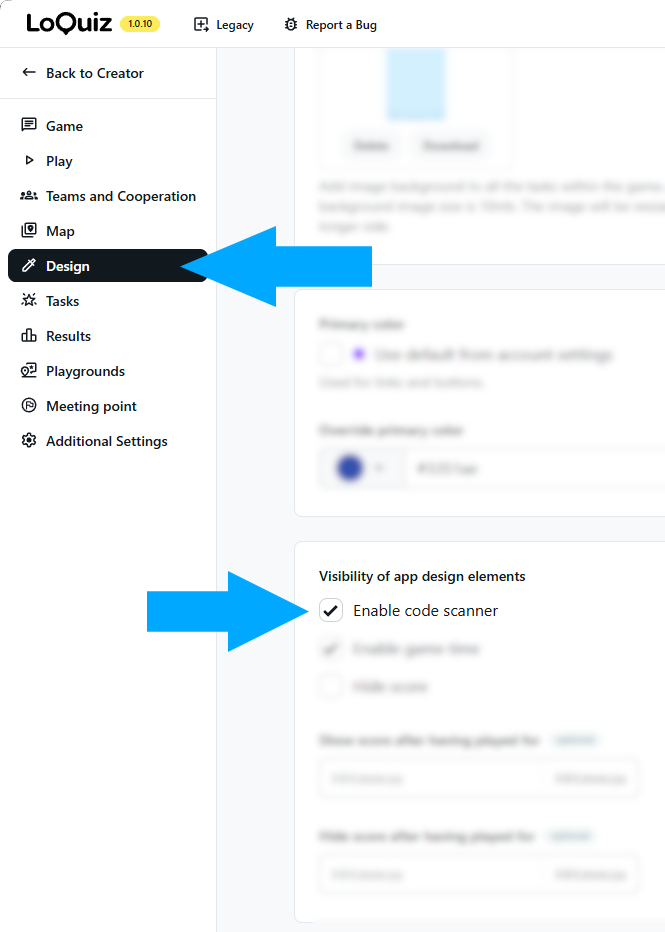
Step 3: In the Creator, add a block “QR code”
On this block, type “remotecontrol”. From there, this QR code can trigger the game master’s list of tasks.
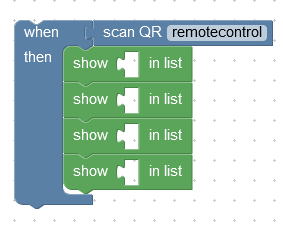
Step 4: Use this QR code
Using this generator, I made this QR code. It literally means “remotecontrol”. The Loquiz scanner will recognize this QR code and activate the logic above. Oh, and do not share this QR code with any player.

Step 5: Make the logic
Now, let’s see what the logic looks like from the Creator.
The key to such a game master’s remote control is the following block:
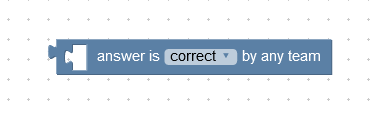
Indeed, this block influences other games. We’ll benefit from this to create the game master’s remote control.
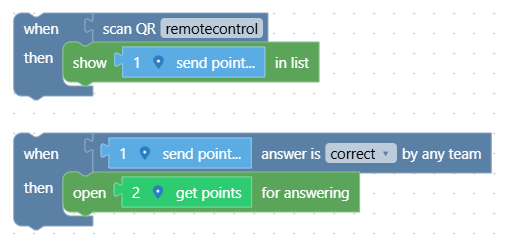
If you, as the game master, finish task 1 “send point”, then every other player will receive task 2 “get points”. Task 2 will add points to every player’s score.
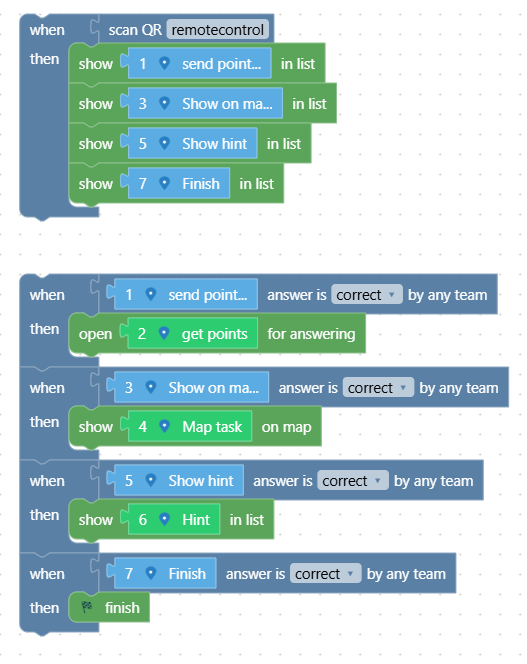
We can add other options from the game master as follows:
If there’s anything unclear for you in this explanation, feel free to send me an email. I’d be happy to help you out!
Example of remote control usage
Example 1: Add points to everyone
Do you feel generous? Add a certain amount of points to everyone.
Example 2: Show a new task on the player’s map
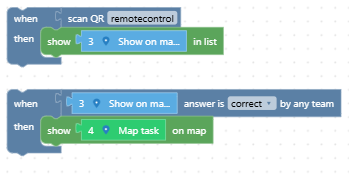
There’s a hidden place on the map. You’ll disclose this only when you want to. With the remote control, toggle this task on the map for every player.
Example 3: Show hints on the list
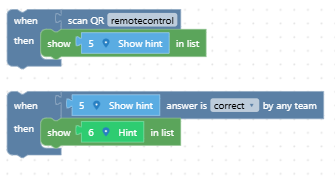
You know that one quiz question is notorious for being difficult to solve. Sometimes your player won’t have an issue solving it. But other times, they need a hint… Show this hint when you feel like it with the remote control logic!
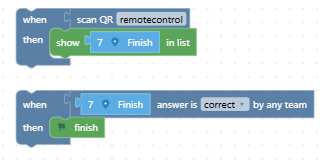
Example 4: End the game for everyone
Do you need to strictly follow your schedule and end the game? The remote control logic gets you covered:
Related stories
How to set up an Halloween game now Halloween is in a week! If you need a game that’s easy...

We can sell Loquiz City games through ticketing platforms. The flow is simple: players visit your website, purchase one or...

When we offer a city game, our players expect some interaction with their surroundings. Sometimes, this is essential because the...
Start free trial to bring your ideas to life
Sign up and create games, tours, team events and educational content that captures peoples' attention
Start from the scratch or use templates to kickstart!
