

You’re building a self-guided tour, and you’d like to increase the immersion? The music is one of the important aspects to manage. And yet, you probably don’t have a professional mixer able to create proper music for you. Moreover, each historic location might have its very own music style.
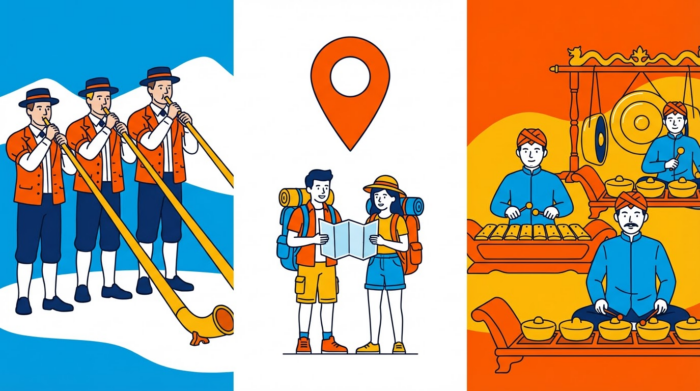
For instance, you might want a Swiss song using alphorns if your clients visit Geneva; or an Indonesian song with gamelan if they visit Bali.
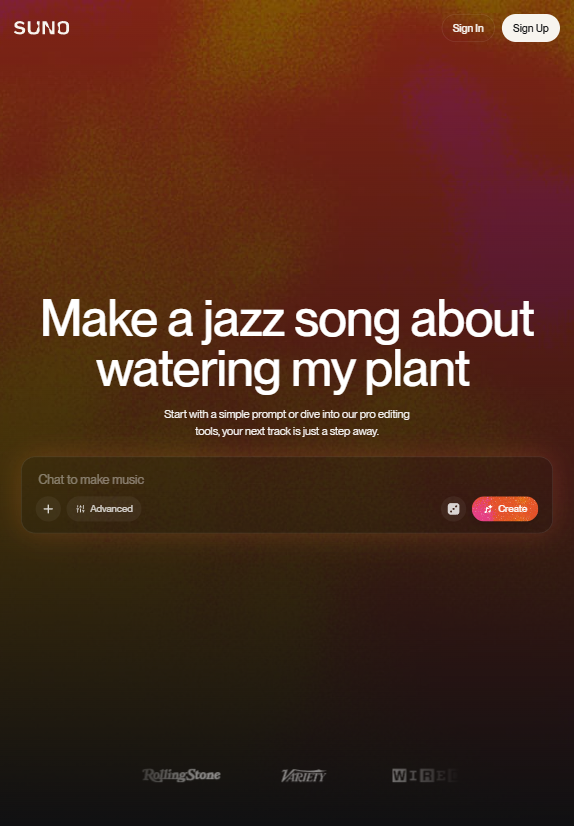
Suno is exactly what you need! With prompts and a few settings, you can quickly generate the music you need and incorporate it in your tour. The free tier allows you to generate a few short songs per day. Note that you’ll need a paid plan to have the commercial rights.

Step 1: Set up your Suno account and generate your first song
You can sign up using your Google account, and then you can already start generating your own music. And you’re already set.
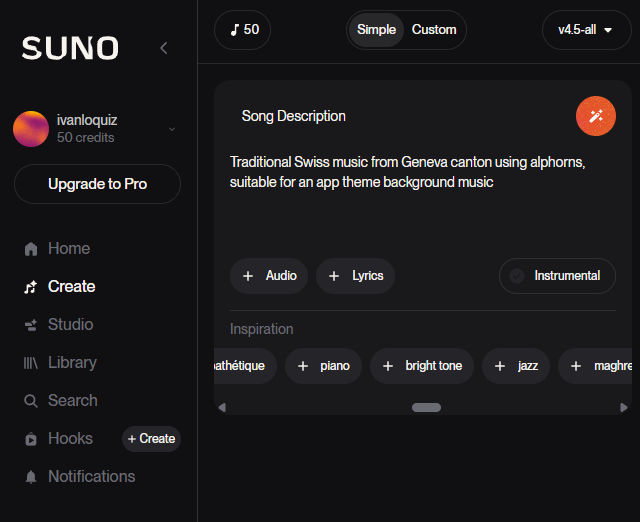
Now, go to the “Create” page, then select the “Simple” tab. This part is the best way to first experiment with how Suno can generate your very own soundtrack for your tour.
Let’s try with something simple, without going into musical jargon: “Traditional Swiss music from Geneva canton using alphorns, suitable for an app theme background music”. And that’s it!
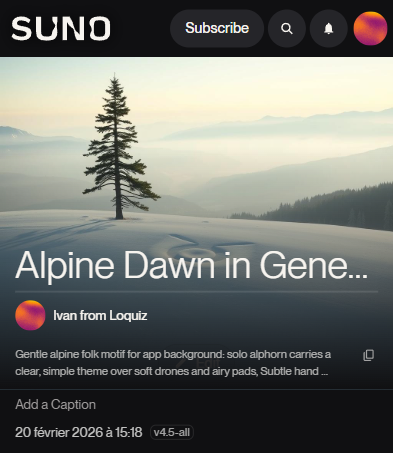
Feel free to listen to one of the newly generated songs here.
You’ll even have a full prompt as a result of the song. You can reuse this text if you’re satisfied with the song, but it needs further adjustments.
Step 2: Learn how to master this platform
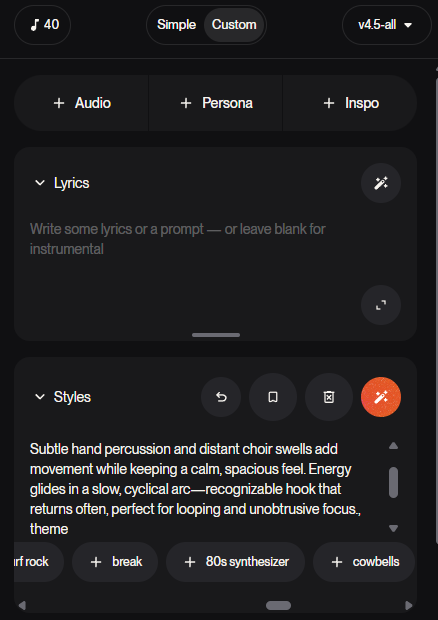
Perhaps the songs generated from scratch are good enough. Or maybe you have something specific in your mind. See the “Simple/Custom” toggle button? Choose “Custom”, and you’ll have one of the best AI musical tools on the internet. Let’s break it down.
First, you have the Lyrics and Styles part. Your tour will most likely be one without any lyrics, so leave it blank. In the “Styles” field, add everything that your song should be. From our example, I simply copy pasted the same Styles prompt from our Swiss song. So in that way, I can generate other songs and choose my favorite one.
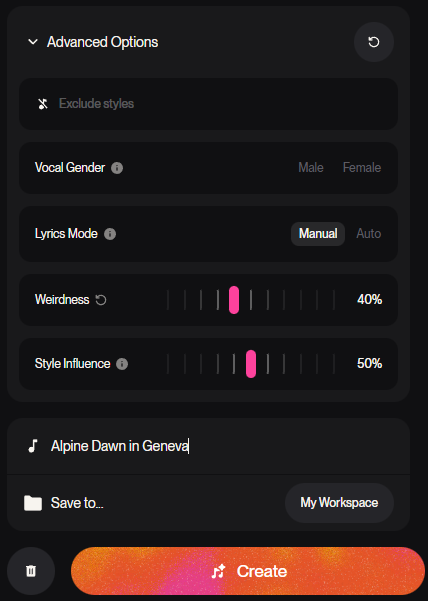
Scroll down, and you have advanced options. Choose your vocal gender if you have lyrics in your song (which is not the case in our example). If you want vocals but you don’t know what to add lyrics to, use the “Auto” mode. Personally, I have my own prompt with Google Gemini to generate my own lyrics.
Then you have Weirdness: It determines whether your AI can innovate (or hallucinate) or not. My own preference is 40%, unless I start to be unsatisfied with the song. In that case, I put it at 60%. The “Style influence” determines how strictly the AI follows your Styles prompt. I’m usually confident with my prompts, so I leave this at around 80%. But if you begin with Suno, I recommend 50% or less.
And of course, you can write down your song title. Then you can let the magic go and create!
Step 3: Incorporate it into your tour using Loquiz
Did you find the perfect song theme for your tour? A song that immerses them in the style of your location? Then let’s download it as an MP3 audio file:
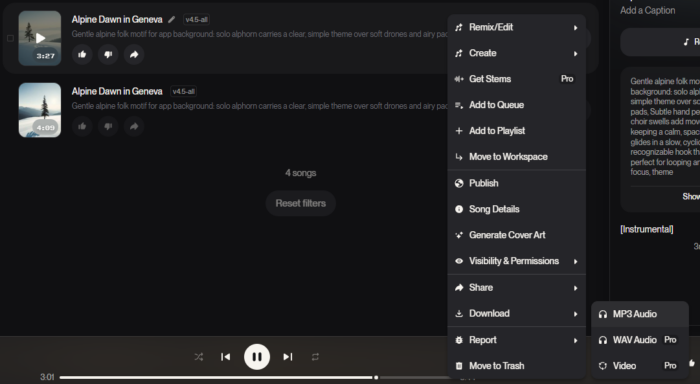
Once you have your mp3 audio, you can use it for your tour! Depending on how it works, you’ll find a way to incorporate it. In this article, I’ll show how you can do it for your Loquiz tour.
First of all, create a free account.
Then create your own tours: Add tasks for each point of interest, set the location, etc. Here’s a tutorial on how you can build your own Loquiz tour and sell it. I won’t detail that part here, but if you want a demo on how to make one in your city, I invite you to choose a suitable time on my calendar
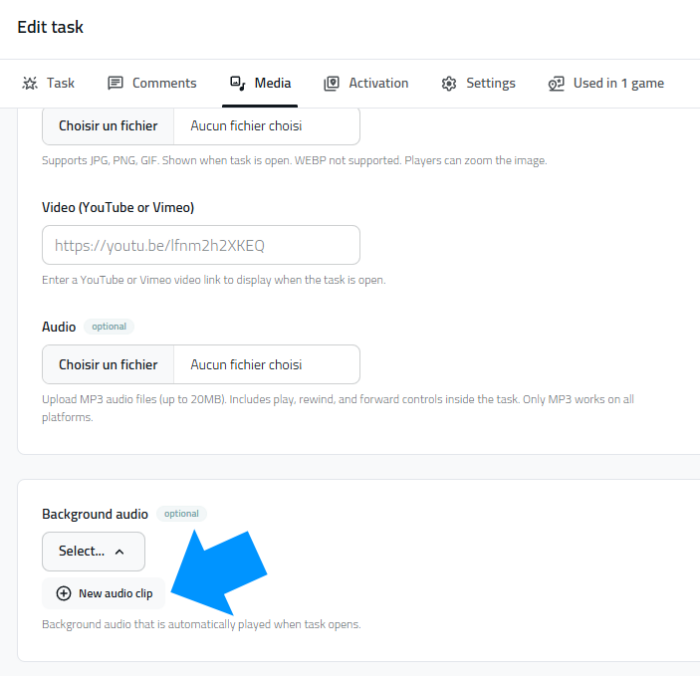
Now, go to the task settings, media, and scroll down until you find “background audio”. Upload your song, and voilà! When the visitors reach the task location, the app will automatically play the song (aside from showing the task content).
To conclude
There is so much to experiment with both Suno and Loquiz… If you have any questions, feel free to reach out to me. Send me an email, and I’ll be happy to answer!
Note: This article is not a paid partnership. I’m personally an advanced user of the platform Suno for other projects. But this wonderful tool brings exactly what you need to generate theme music for self-guided tours or scavenger hunts. I’m happy to share my experience with this artificial intelligence!

Related stories

You’re about to host an event, and you want to provide facilitators with a paper showing the list of tasks...
The new interface Loquiz 1.0.5 is now the default Creator platform. The previous Loquiz platform remains accessible as the Loquiz...

Spring is coming, warmer and longer days are ahead. It’s a nice time to plan for an outdoor team-building game...
Start free trial to bring your ideas to life
Sign up and create games, tours, team events and educational content that captures peoples' attention
Start from the scratch or use templates to kickstart!
