

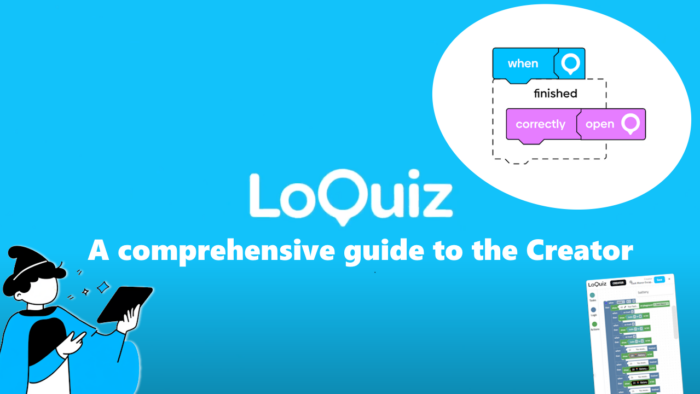
The Creator offers a wide range of possibilities thanks to the implementation of the Blockly interface. Loquiz isn’t just about adding tasks one after another and having the game ready: It’s about delivering the best tailor-made branded game/tour.
To help you master this, I’ve made a comprehensive guide to the Loquiz Creator through a video. So it will explain to you each Blockly’s block. Then, at the end of the video, I develop an example of a game that has most of the Loquiz features.
Here’s the plan. In case there’s one specific block you’d like more info, you’ll find it there:
- 00:00 Intro
- 02:10 Task blocks
- 03:00 Logic blocks
- 03:30 Finished
- 03:42 Timer
- 03:58 Scan QR
- 05:09 Answer is Correct
- 05:32 Answer by any team
- 06:19 Last answer is
- 07:17 Odometer after task
- 07:41 Timer after task
- 08:15 Score/Odometer
- 09:01 Date
- 09:55 And/Or Not
- 10:39 On track
- 11:46 Scan barcode
- 13:15 Action blocks
- 13:36 Show on map
- 13:52 Show in list
- 14:16 Show on Playground
- 14:46 Open for answering
- 15:27 Finish
- 16:29 Deactivate
- 17:33 Cleaning the blocks
- 18:24 Explaining the logic
If you have any further questions regarding the Loquiz Creator, or if you don’t understand something specific in the video; feel free to send me a message!
Related stories

You’re building a self-guided tour, and you’d like to increase the immersion? The music is one of the important aspects...
With your Loquiz game, you can add a list to simply display your tasks. It’s recommended for indoor games or...
The Loquiz creator allows you to have a map… But also a custom visual interface called “Playground“. This feature allows...
Start free trial to bring your ideas to life
Sign up and create games, tours, team events and educational content that captures peoples' attention
Start from the scratch or use templates to kickstart!
