

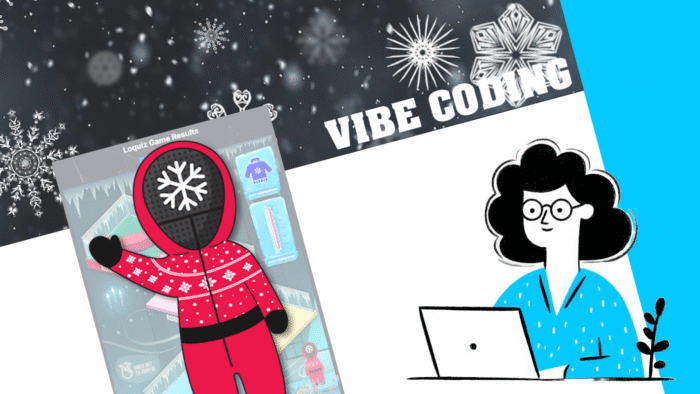
Results pages are generic. What if you create one result page that’s specific to one game concept? Using vibe-coding, I generated one for the Ugly Sweater Escape.
Ugly Sweater Results
How to make it yourself?
In fact, you can recreate such a result page using Vibe-Coding. Just go to your favorite LLM (e.g. ChatGPT, Copilot, or Gemini), then copy and paste the following prompt and attach this .txt file.
Build me a HTML result page where we first add a game ID in a field and confirm.

Then it shows the picture (Image URL).

Among task (Task ID 1), (Task ID 2),... (Task ID n)
When a team last answer was task (Task ID 1) then place the emoji in this area top: [0, 100], left: [0, 100]
When a team last answer was task (Task ID 2) then place the emoji in this area top: [0, 100], left: [0, 100]
...
When a team last answer was task, (Task ID n) then place the emoji in this area top: [0, 100], left: [0, 100]
When a team last answer was none of the previous tasks then place the emoji in this area top: [0, 100], left: [0, 100]

On hovering the emoji, show the corresponding team name

Choose emoji randomly among "man standing" "woman standing" "man running" "woman running"

Use the attached api-for-llms.txt file to get instruction on how to fetch Loquiz results data
No need of API key Loquiz
Add the image (Image URL). Then, replace the (task ID) with the IDs that you find in the URL when you’re editing a task:

Replace the numbers in “top: [0, 100], left: [0, 100]”. The numbers are percentages of the picture. It goes from 0 to 100. For example, if you write “top: [50, 100], left: [50, 100]”, then you’ll have the same area as the red part here:

In our case, here’s the prompt that will generate the Ugly Sweater Escape’s visual results page. Take note of how each field was replaced. Note that we chose several tasks for some areas:
Build me a HTML result page where we first add a game ID in a field and confirm.

Then it shows the picture https://loquiz.com/wpmainpage/wp-content/uploads/2025/07/image_2025-07-16_135057736.png

Among tasks YfgzHrax_, Y6ns8f4-YU, ges0-BnPH, by94JdBEA, q3LjRkE4Ao, Ox1p5Sh2Ds, uaTnguh8gz, lO6d-jpOH, shSdVLXZq2, IC6uhUTMGm, koRv-jCmBN, _-qzPLXKt9, k4DXdmhwou, Th0nCz5U-C, Hm0_N-VIih, 7f7ZeWnK3, 8-dLUrI-n1, z8Tug5V6hg, 9RicGFh7u, LNMto7PP1
When a team last answer was task YfgzHrax_, Y6ns8f4-YU, ges0-BnPH, by94JdBEA, q3LjRkE4Ao, or Ox1p5Sh2Ds then randomly place the emoji in this area top: [80, 90], left: [16, 35]
When a team last answer was task uaTnguh8gz, lO6d-jpOH, shSdVLXZq2, IC6uhUTMGm, koRv-jCmBN, _-qzPLXKt9, or k4DXdmhwou then randomly  place the emoji in this area top: [59, 73], left: [55, 80]
When a team last answer was task k4DXdmhwou, Th0nCz5U-C, Hm0_N-VIih, 7f7ZeWnK3, 8-dLUrI-n1, or z8Tug5V6hg then randomly  place the emoji in this area top: [38, 49], left: [38, 67]
When a team last answer was task 9RicGFh7u then randomly  place the emoji in this area top: [18, 29], left: [12, 38]
When a team last answer was task LNMto7PP1 then randomly  place the emoji in this area top: [8, 12], left: [58, 80]
When a team last answer was none of the previous tasks then randomly place the emoji in this area top: [86, 90], left: [53, 100]

On hovering on the emoji, show the corresponding team name

Choose emoji randomly among "man standing" "woman standing" "man running" "woman running"

Use the attached api-for-llms.txt file to get instruction on how to fetch Loquiz results data
No need of API key Loquiz
Let me know what you think of it! If you have any idea of a custom results page, feel free to send me an email.
Related stories

When we offer a city game, our players expect some interaction with their surroundings. Sometimes, this is essential because the...

When we build an outdoor Loquiz game, we often set a series of tasks on the map. Players activate the...
Since 2020, companies have increasingly requested remote events. However, we still want a bit of human presence. Perhaps we can’t...
Start free trial to bring your ideas to life
Sign up and create games, tours, team events and educational content that captures peoples' attention
Start from the scratch or use templates to kickstart!
