


What if we transformed a Loquiz game into a personality test? As the team answers questions, they will receive their result at the end of the game on a custom results page. This page would be specific to that team, showing no other team’s results.
This could be a useful way to mix gamification with a consultancy’s assessment. That’s possible using vibe coding. You can create a result page that changes depending on the answers to the tasks, and it will only show a single team’s own results.
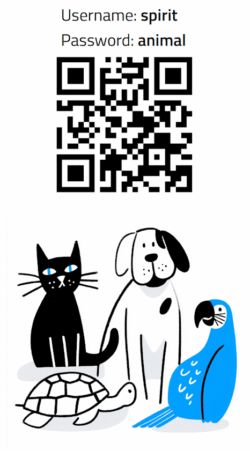
Try this game out, discover your spirit animal, and see the result at the end of the page!
How to make it yourself?
In fact, it’s easy to recreate such a result page using Vibe-Coding. Just go to your favorite LLM (e.g. ChatGPT, Copilot, or Gemini), then copy and paste the following prompt and attach this .txt file. Then, replace the [task ID] with the ID that you find in the URL when you’re editing a task (see picture below), replace [survey description], and add variables corresponding to the answers and tasks related to each task question. Please note that you can add as many survey tasks as you want.

Can you generate a Loquiz results page that determines [survey description] based on survey answers from a Loquiz game?
Please use the attached file api-for-llms.txt to know how to fetch data. No need of API key.

 To determine the result of each team, it will work as follows:
There are 4 variables
[Profile1] = [variable1]
[Profile2] = [variable2]
...

They answer task. Each task returns a value from 0 to 9 to add to these 4 variables:
Task [Task ID] : [variable1]
Task [Task ID] : [variable2]
...


The results page will show either:
Team hasn't finished, shows "Need more answers"
Team has finished, shows the profile related with the highest variable(s)

If one result has the highest variable, then show one profile. If two variable are equal, then show 2 profile (separate with "or"). etc.

Do not put a placeholder for gameID.
GameID is [GameID]

When URL is like page.html?team=${teamName} then it shows results for that ${teamName} specifically and only
If the team name isn't recognized, or if url is like page.html, then we show no team, and the results page tells that the team name isn't found.

Use Tailwind for nice design, use good practice of Tailwind.
Make it mobile friendly
If you want something a bit more specific, you can add instructions at the end of the prompt. For example: “Include a dark/light mode” or “Show the score”. Be as specific as possible.
Once you have the HTML page, host it on a server.
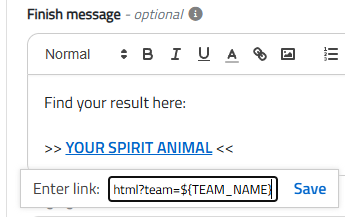
Then, in your Loquiz, add a URL in the Finish message: yourdomain.com/yourresultspage.html=?team=${TEAM_NAME}
Let me know what you think of it! If you have any idea of a custom results page, feel free to send me an email.
Related stories

When we offer a city game, our players expect some interaction with their surroundings. Sometimes, this is essential because the...

When we build an outdoor Loquiz game, we often set a series of tasks on the map. Players activate the...

Since 2020, companies have increasingly requested remote events. However, we still want a bit of human presence. Perhaps we can’t...
Start free trial to bring your ideas to life
Sign up and create games, tours, team events and educational content that captures peoples' attention
Start from the scratch or use templates to kickstart!
