


There is a new way to reuse questions which are already in some existing game.
First hit Create a new game on the dashboard or pick a game you want to create under Templates.
Next in Tasks step choose filter “Games”. Now you can pick a game from which you want to use tasks in the current game you are building.
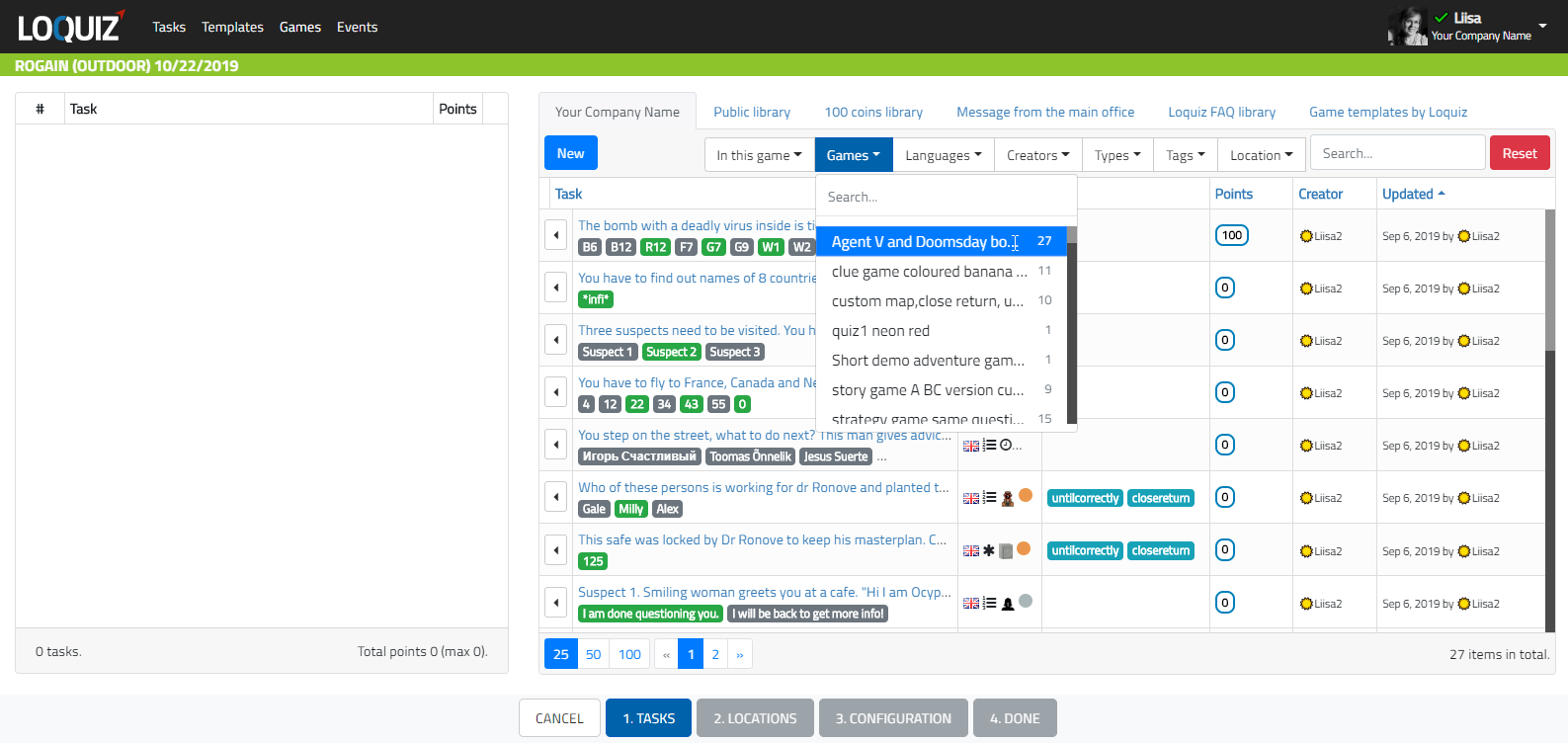
Add the questions you need and proceed to create the game.
This filtering works also when editing templates or games and creating games based on templates. Basically you can filter tasks by game anywhere you have a Tasks list for adding and removing questions from the game.
PRO tip: Keep in mind, if you want to change questions but keep existing locations in the game use unlock feature.
Related stories

Since 2020, companies have increasingly requested remote events. However, we still want a bit of human presence. Perhaps we can’t...

In a party or team-building event, quizzes are part of the fun. From my experience, I’ve noticed that players particularly...

When you build a game with Loquiz, you’ll have a Config page. You can switch from the Creator page to...
Start free trial to bring your ideas to life
Sign up and create games, tours, team events and educational content that captures peoples' attention
Start from the scratch or use templates to kickstart!