


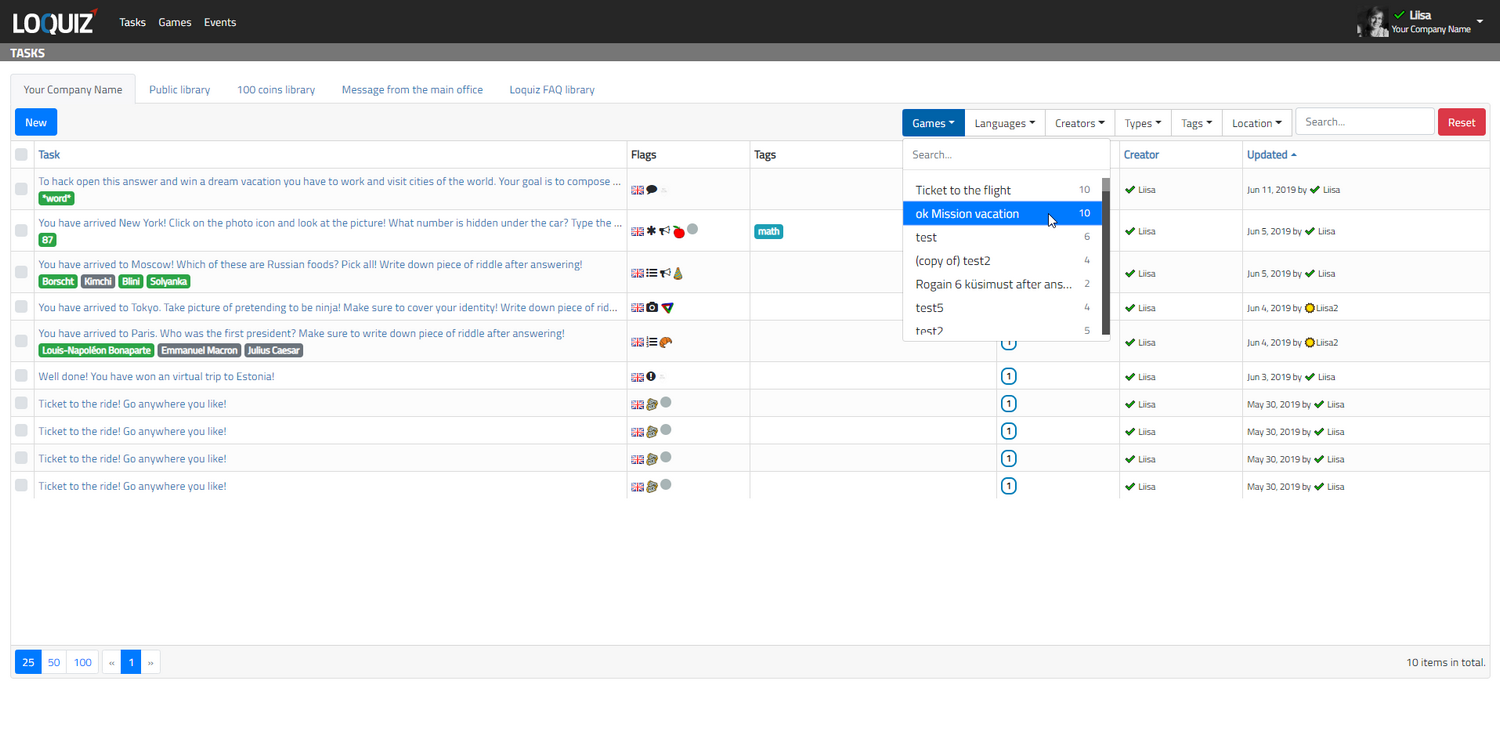
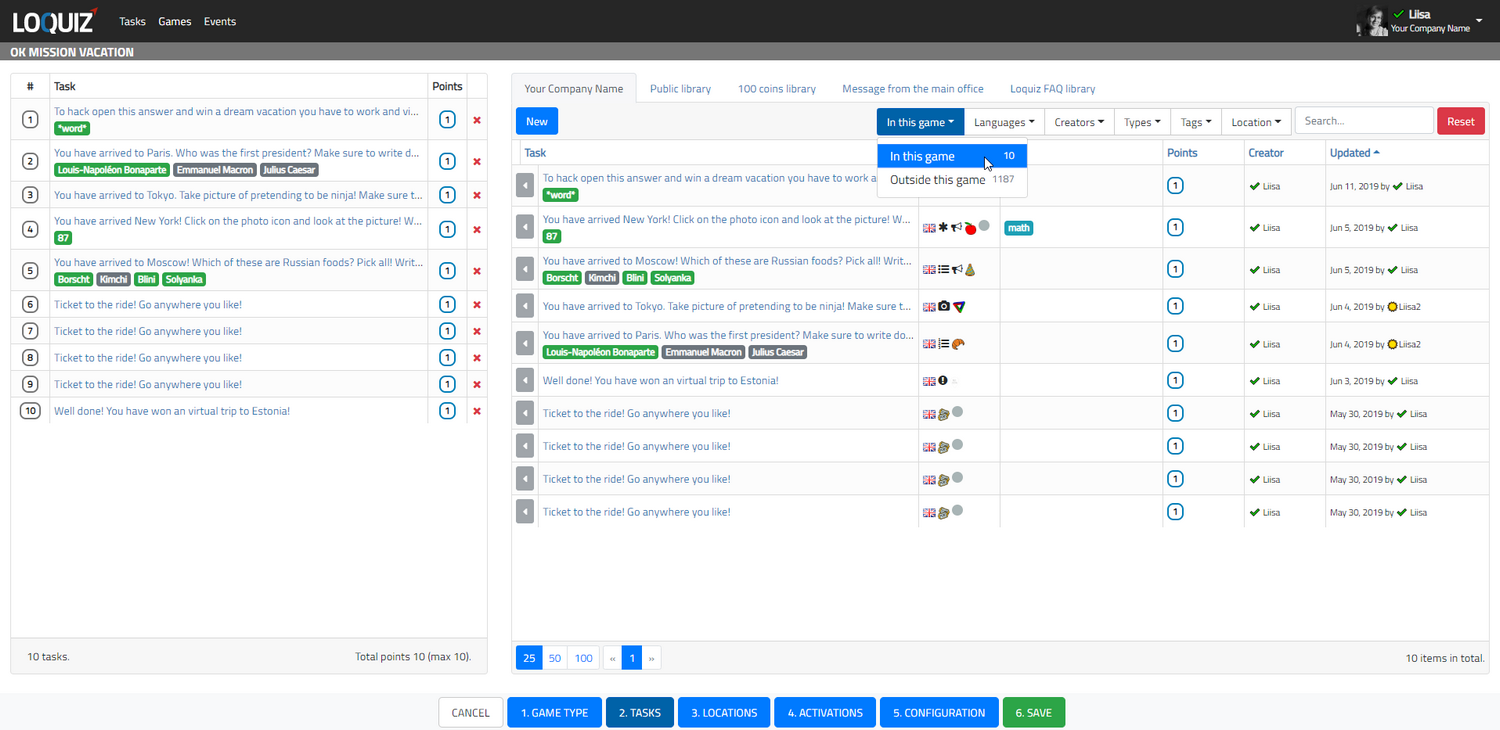
Now you can filter out tasks by the games they are used in. Also while building the game you can filter out all the tasks used in that specific game. This option allows you to find content quicker for (batch) editing, creating new games and copying.
To view tasks within game(s) go to the tasks list and select game name from the “Game” dropdown filter menu. Pay attention that you can click on multiple game names- then the tasklist will display tasks from all the games you have selected.
When you open a game while cloning or editing then in the tasks list you will see button In this game. This allows you to view all the tasks in the game as well sort out the teaks which are not in the current game.
Related stories
How to set up an Halloween game now Halloween is in a week! If you need a game that’s easy...

We can sell Loquiz City games through ticketing platforms. The flow is simple: players visit your website, purchase one or...

When we offer a city game, our players expect some interaction with their surroundings. Sometimes, this is essential because the...
Start free trial to bring your ideas to life
Sign up and create games, tours, team events and educational content that captures peoples' attention
Start from the scratch or use templates to kickstart!
