

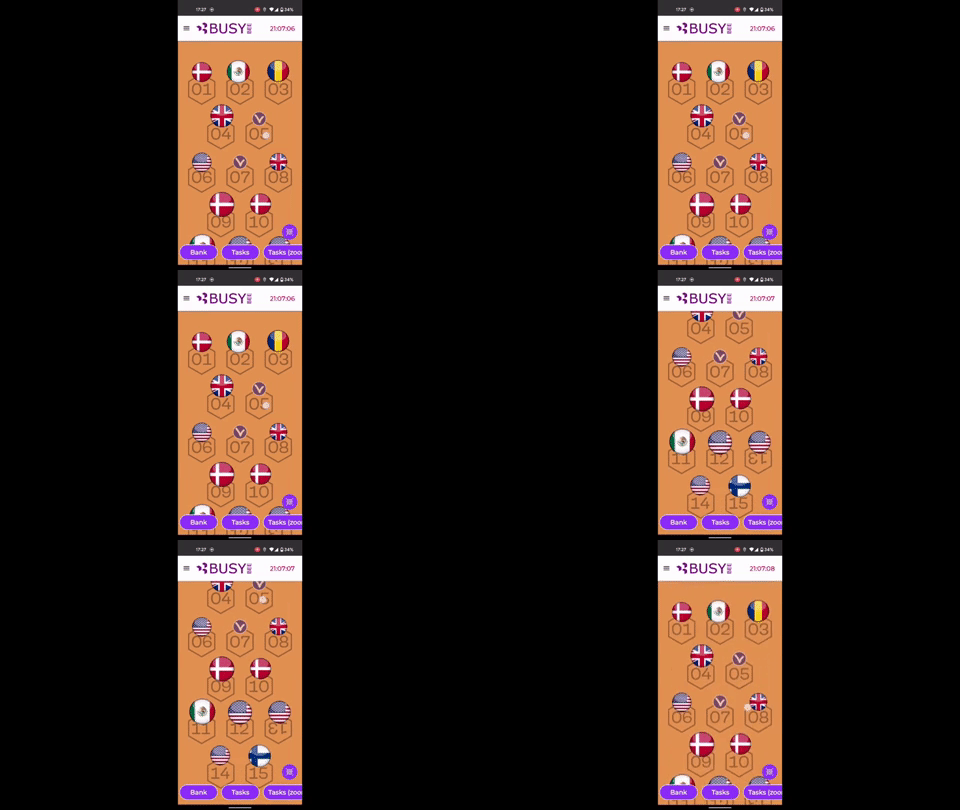
When you have been using the Playground feature then you know that the playgrounds work so that you put the background image on the playground and on this background image, you can position your icons. During the game entire playground image is visible and players can zoom in and out, move it left, right up and down. This is good because the playground was meant to be an addition to the indoor maps, for example.
Now in many Game Template cases, the playground is also being used for additional play screens for the user interface, so there might be buttons, progress icons appearing, but the idea is that you don’t really want the player to wander away. That is when the disable zoom feature steps in. This makes playground image scrollable either vertically or horizontally.
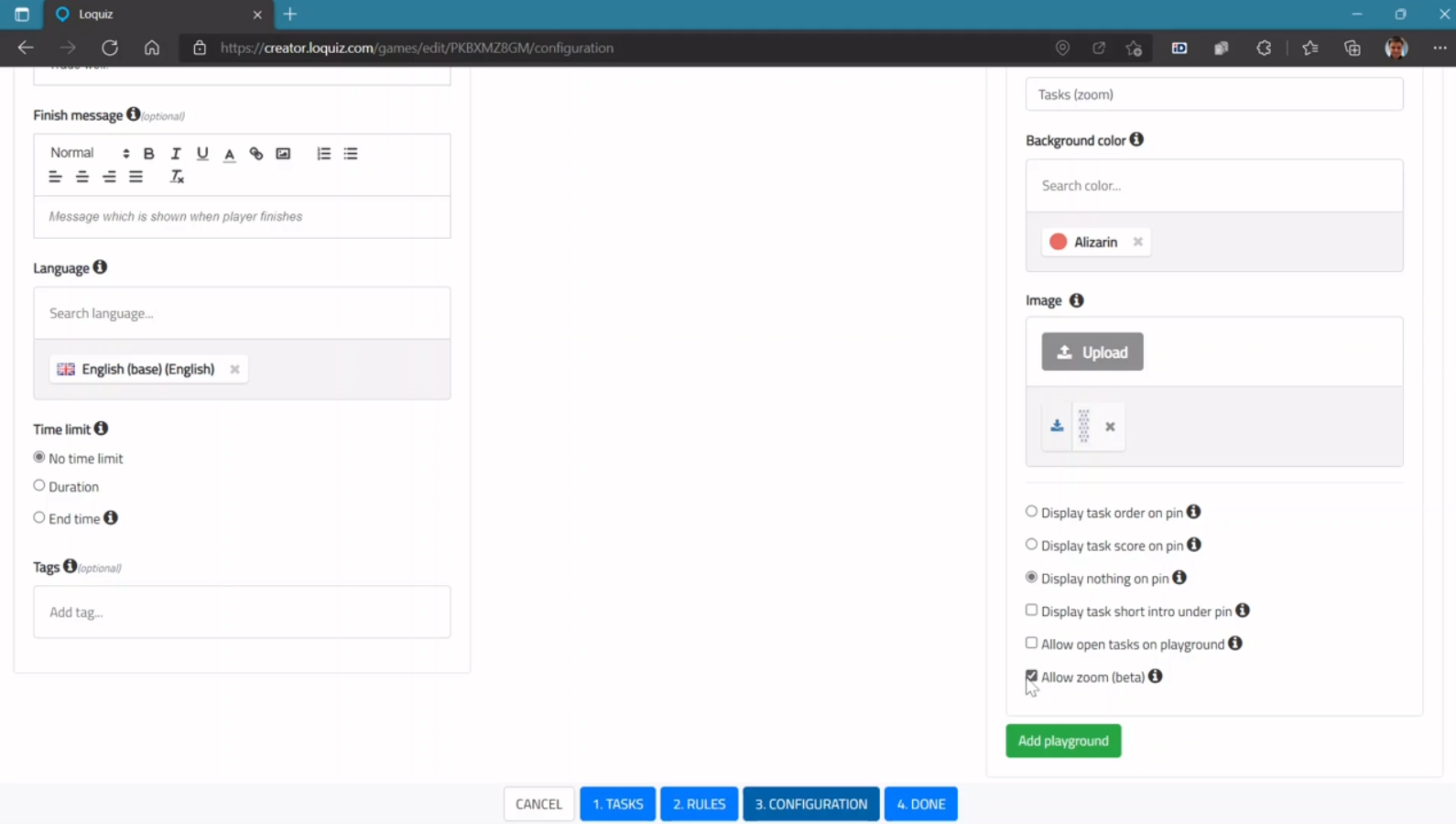
By default, playground zoom is allowed. If you take the tick away from here then zoom is not allowed. Also, note that you can go one by one and allow zoom on one playground and disable it on another. This way separate playgrounds can be interactive in different ways for the players.
Go and test it out. And of course, let us know how it works for you.
Related stories
Spring is coming, warmer and longer days are ahead. It’s a nice time to plan for an outdoor team-building game...

With your Loquiz game, you can add a list to simply display your tasks. It’s recommended for indoor games or...
The Loquiz creator allows you to have a map… But also a custom visual interface called “Playground“. This feature allows...
Start free trial to bring your ideas to life
Sign up and create games, tours, team events and educational content that captures peoples' attention
Start from the scratch or use templates to kickstart!
