

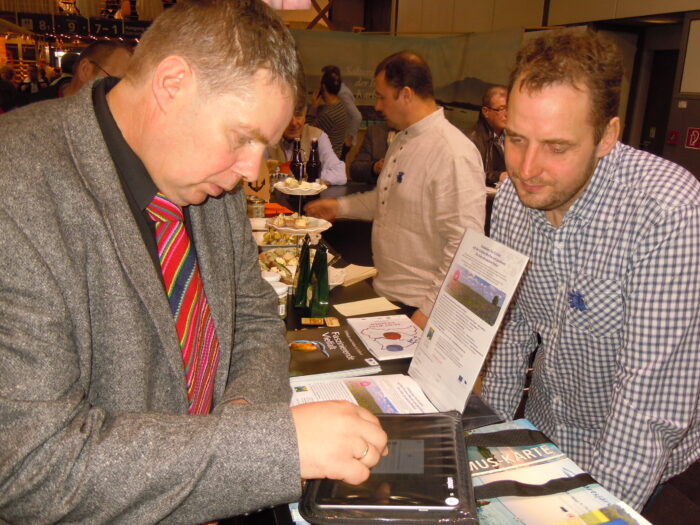
To be fair, the fair is not exactly the occasion Loquiz is meant for, but it was recently used in German Grüne Woche by Estonian Rural Tourism association. There was some specifics used in setup, and this is what I am going to explain in short.
Vast visitor amount and the lack of time from the people attending the booth meant that usual process – enter the code – did not work for this occasion. We had to find better way to launch games.
In Loquiz you just to create a specific URL (web link) and open it in the browser from the device. Link should state loquiz://gamecode/CODE. CODE being the actual game code.
Clicking this link starts the app (if installed) and game so that code is entered already. What is left is to enter your name and you are good to go.
Another thing was that organizers wanted to give out prizes for the winners from each day. So we needed to get each day to the different results tables.
This is easily doable using game codes. We had just one “messe” game, but created a gamecode for each day. Remember we also wanted to start the games as easy as possible. So we ended up creating a shortcut on the device screen taking you to the webpage that effectively started the game with the days code.
So somebody could remotely change the codes, and the people in the booth did not have to worry what to start today, what tomorrow. Magically correct game started each day.
One more thing was that we did not really know if the game (or quiz in this situation) is fun to play. So we had to take into account the possibility that we might need to change something. We decided that we do the changes after first day after initial feedback.
After the first day we actually made the game a little shorter, took away two questions that did not link to the audience. Why did we do it after the first day? Just to keep the results comparable within a day.
So how did it work? Quite well. Estonian rural tourism association had around 130 participants with names and emails saved.
Related stories
When we offer a city game, our players expect some interaction with their surroundings. Sometimes, this is essential because the...

When we build an outdoor Loquiz game, we often set a series of tasks on the map. Players activate the...
Since 2020, companies have increasingly requested remote events. However, we still want a bit of human presence. Perhaps we can’t...
Start free trial to bring your ideas to life
Sign up and create games, tours, team events and educational content that captures peoples' attention
Start from the scratch or use templates to kickstart!